BROWSER SOURCE TWITCH YOUTUBE DLL REQUIRED

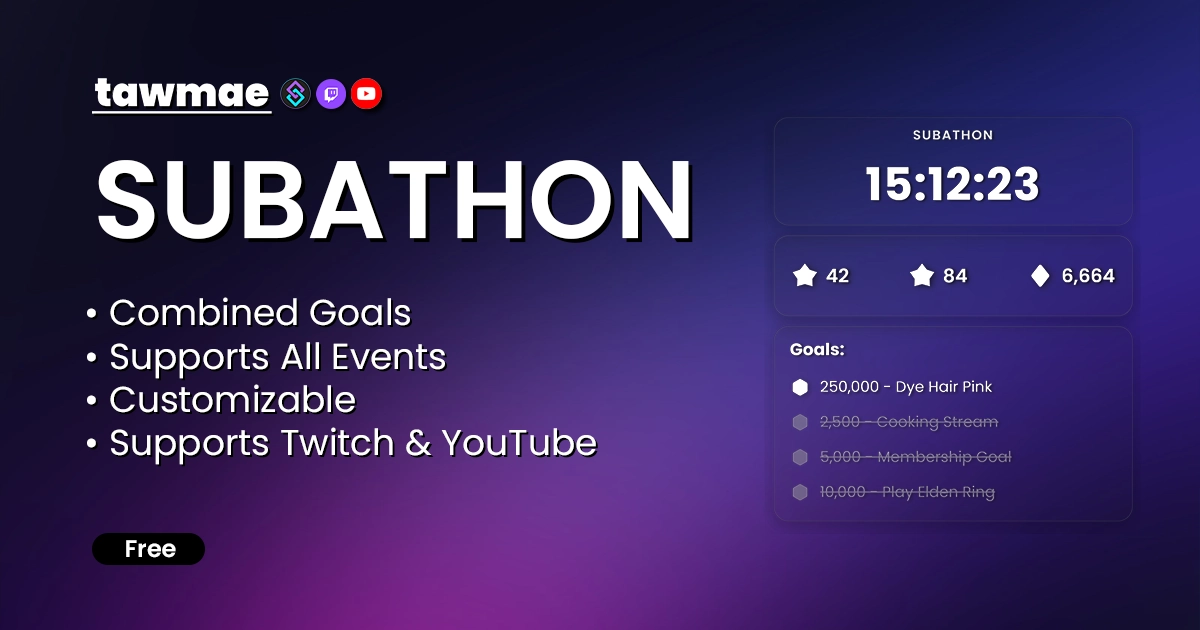
A fully customizable, fully featured Subathon widget for Twitch & YouTube. Includes subs, bits, donations, follows, raids, channel- and even loyalty points & more. Powered by Streamer.bot.

  • Customize time additions for every event
  • Set your own goals
  • Reliable and precise tracking with automatic backups
  • Option to limit the max. added time
  • Enable Happy Hours for extra contributions!
  • Supported almost all events:
Subathon in action

Quick Access

Copy what you need to get started. Follow the setup guide below for detailed instructions.

Browser Source URL

Add this as a browser source to OBS.
https://tawmae.xyz/overlays/subathon

Action Import String

Import the actions into Streamer.bot.
Loading…

Setup Guide

Prefer watching?

A video tutorial is available for this extension. Watch the step-by-step guide to help you set everything up quickly and easily.

Watch on YouTube
1

Copy the Action Import String

Copy the Action Import text from Quick Access.

2

Import the actions into Streamer.bot

In Streamer.bot click Import in the top menu. Paste the text into the Import String field. Click Import at the bottom.

3

Enable the Commands

Open the Commands tab. Find the imported group. Right-click the group and click Enable All.

4

Open the Settings UI once and hit Save

Open the action [TWITCH SUBATHON] #0 - Settings. Right-click the Test trigger and hit Test Trigger. Click Save.

NoteIf the TawmaeUI.dll is missing, you'll be asked to auto-download. That popup window may appear behind the Streamer.bot window, so make sure to check if nothing appears.
5

Start WebSocket Server

Go to the tab Servers/Clients → WebSocket Server. Enable Auto Start WebSocket Server. Address 127.0.0.1. Port 8080. Optional password. Leave Enforce All Requests unchecked. Start the server.

6

Copy Browser Source URL

Copy the Browser Source URL from Quick Access.

7

Add Browser Source in OBS

In OBS create a new Browser Source. Paste the URL. Prefer setting Width and Height to your OBS canvas size instead of scaling the overlay in OBS.

WarningIf you want to have the browser source in multiple scenes, don't create a second browser source. Instead, use nested scenes or source clones.
8

Done!

And you are done!

NoteNote that donations require connecting your chosen platform (Kofi, StreamElements, Fourthwall, etc.) to Streamer.bot. Once connected the Subathon picks them up automatically.

Commands

!subathonStart Access Mods Only

Start the subathon.

Example!subathonStart
!subathonPause Access Mods Only

Pause the subathon timer.

Example!subathonPause
!subathonUnpause Access Mods Only

Resume the subathon timer.

Example!subathonUnpause
!subathonAddTime [Duration] Access Mods Only

Manually add time. The duration allows for these formats (not combined!): 10s, 15min, 5h, 1d, 05:00 (-> 5min) or 01:30:00 (-> 1h and 30min).

Example!subathonAddTime 15min
!subathonRemoveTime [Duration] Access Mods Only

Manually remove time from the timer.

Example!subathonRemoveTime 1h
!subathonAddEvent [Event] [Amount] Access Mods Only

Manually increase event counts (subs, bits, donations, follow, cpr, raid, lp). Those are the available keys: prime; tier1; tier2; tier3; donations; charitydonations; follows; channelpoints; raids; loyaltypoints; combinedgoal.

Example!subathonAddEvent bits 500
!subathonRemoveEvent [Event] [Amount] Access Mods Only

Manually decrease event counts to correct mistakes. Same event keys as add.

Example!subathonRemoveEvent donations 10
!subathonContributePoints [Amount] Access Everyone

Spend Loyalty Points to add time.

Example!subathonContributePoints 1000
!subathonStartHappyHour Access Mods Only

Starts the happy hour.

Example!subathonStartHappyHour
!subathonEndHappyHour Access Mods Only

Ends the happy hour before its time runs out.

Example!subathonEndHappyHour

Settings UI

General

Some good ol' general settings!

  • Starting Time Pick a starting time for your subathon.
  • Time Format Various formats like dd:hh:mm available.
  • Currency The currency to count donations in. Donations from other currencies will get auto-converted.
  • Enable Time Limit Enable a maximum time limit for added contributions. All additional contributions will be ignored once the limit has been reached.
  • Maximum Added Time If the time limit has been enabled, choose how much that limit is.
  • Show Limit Reached Indicator When the limit has been reached, a little footer shows up on the overlay. You can toggle the visibility for that.
  • Happy Hour Multiplier Set the multiplier for all contributions during an active happy hour. 1.00 means 100%, therefore doubles the amount. 0.5 is +50%, etc. I'm sure you'll manage with basic math.
  • Happy Hour Duration The duration for the happy hour in seconds. It will disable itself after its time runs out.
  • Affect Combined Goal Contribution Toggle whether the happy hour affects the combined goal points contribution as well.

Added Time

Define which events add time and how many seconds they add.

  • Prime Prime Subberinos
  • Tier 1 Tier 1 Subberinos
  • Tier 2 Tier 2 Subberinos
  • Tier 3 Tier 3 Subberinos
  • Bits Proportional, per 100 bits. Also allows to set your price for Power Ups, so they may contribute accordingly as well :3
  • Donations Currency-awareeee, proportional
  • Follows You better have my MOD TOOLS installed to disable the Subathon Event Handler in case you get follow botted D:
  • Raids Will you set a minimum viewer amount for raids to count and exclude the poor 1-viewer-raids? :(
  • Channel Points Contribution cost proportional as well and you may select specific rewards that contribute.
  • Loyalty Points Proportionallllll too. Used with the specific command.

Appearance

Change font, colors, shape, icons, and images.

  • Font A preselected list of popular Google fonts.
  • Font Color Yeah, uhm.. color..
  • Background Color ^same
  • Background Transparency why am I even explaining these properties?
  • Rounded Corners Rounds your corners... or not.
  • Zoom Level To make it bigger. Please don't scale it up in OBS and make it blurry :(
  • Follows You better have my MOD TOOLS installed to disable the Subathon Event Handler in case you get follow botted D:
  • Icons Either select ANY icon from https://icones.js.org/collection/all or straight up insert an image URL. For subs, Tier 1 is the icon the overlay refers to.

Rotator

Configure the rotating info box between countdown and goals. Shows event counts and custom texts.

  • Show Rotator Show or hide it completely.
  • Rotator Duration The interval between each slide (in seconds).
  • Show Current Goal Counts In Rotator All your contributing events will appear in slides and show how much has been contributed already.
  • Rotator Allows to define custom slides with text of your choice.

Goals

Define event-tied, general or combined goals.

  • Show Goals Show or hide it completely.
  • Goals To Show The amount of goals that are visible at the same time. If you have more goals than are visible, it will auto-scroll down.
  • Goals Define your goals with their events. It will use the icons you have set in the Appearance tab. Goals with 'No Icon' won't auto-complete.
  • Scroll Speed Auto-scroll speed.
  • Pause Duration The time it stays on top/bottom before scrolling back.

Combined Goal

With v.1.0.3 you can now define combined goals. Each event adds x points to the combined goal.

  • Enable Combined Goal Toggle combined goal tracking.
  • Points Per Event Define the amount of contributed points for each event type.

Texts

Edit most overlay texts.

Chat Responses

Edit chat responses. Use a single hyphen to skip a message. Allows to use variables that are listed below each textbox. Reset to default by clicking the icon on the right.

Advanced

Backups, safety toggles, and additional controls. Backups are created regularly while active and on manual end.

  • Safety Pause If your stream disconnects or Streamer.bot closes, it'll auto-pause the Subathon for you.
  • Only Add Time When Live Don't forget to tick it off when testing the widget off stream.
  • Add Time When Paused If unchecked, will skip events while paused. I wouldn't recommend though.
  • Don't Add Time For Tests Also affects simulated triggers, so might be worth switching on once you're done testing.
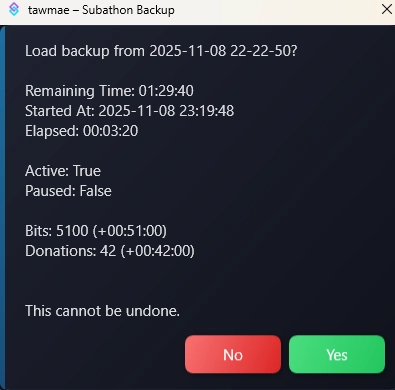
  • Create Local Backups Will create backups in your Streamer.bot directory every 15 minutes during an active Subathon, when you end or when you reset. Also track events.
  • Restore Backup Restore a backup and seemlessly start where you have left off.

Custom Triggers

Finished / Ended Manually

Fires when the countdown reaches 00:00:00.

%startedAt_Unix% Type: long

Unix timestamp when the subathon started.

%endedAt_Unix% Type: long

Unix timestamp when the subathon ended.

%startedAt_local% Type: datetime

Local timestamp when the subathon started.

%endedAt_local% Type: datetime

Local timestamp when the subathon ended.

%baseSeconds% Type: int

Base duration at the start.

%addedSecondsTotal% Type: int

Total seconds added during runtime.

%plannedTotalSeconds% Type: int

Final total seconds planned.

%elapsedSeconds% Type: int

Total seconds elapsed.

%remainingSecondsAtFinish% Type: int

Remaining seconds when finished.

%baseFormatted% Type: string

Base time formatted (hh:mm:ss).

%addedFormatted% Type: string

Added time formatted.

%elapsedFormatted% Type: string

Elapsed time formatted.

%plannedTotalFormatted% Type: string

Planned total formatted.

%pauseCount% Type: int

Number of pauses.

%pauseTotalSeconds% Type: int

Total paused duration in seconds.

%pauseTotalFormatted% Type: string

Total paused duration formatted.

%subs% Type: int

Total subs.

%primesubs% Type: int

Total Prime subs.

%t1subs% Type: int

Tier 1 subs.

%t2subs% Type: int

Tier 2 subs.

%t3subs% Type: int

Tier 3 subs.

%bits% Type: int

Total bits counted.

%donations% Type: int

Total donations counted.

%follows% Type: int

Total follows.

%raids% Type: int

Total raids.

%channelPoints% Type: int

Total channel point redeems counted.

%loyaltyPoints% Type: int

Total loyalty points counted.

%secondsAdded_primesubs% Type: int

Seconds added from Prime subs.

%secondsAdded_t1subs% Type: int

Seconds added from Tier 1 subs.

%secondsAdded_t2subs% Type: int

Seconds added from Tier 2 subs.

%secondsAdded_t3subs% Type: int

Seconds added from Tier 3 subs.

%secondsAdded_bits% Type: int

Seconds added from Bits.

%secondsAdded_donations% Type: int

Seconds added from Donations.

%secondsAdded_follows% Type: int

Seconds added from Follows.

%secondsAdded_channelPoints% Type: int

Seconds added from Channel Point redeems.

%secondsAdded_loyaltyPoints% Type: int

Seconds added from Loyalty points.

Time Added

Fires whenever an event adds time.

%eventKey% Type: string

Source type of the event (subs, bits, donations, etc.).

%addedSeconds% Type: int

Seconds added from this specific event.

%addedFormatted% Type: string

Added time formatted (hh:mm:ss).

%addedCount% Type: int

Units in this event (e.g., 42 donations, 3 subs, 500 bits).

%totalCount% Type: int

Total accumulated count for this event type.

%currentTimestamp% Type: string

Formatted time at the moment of addition (hh:mm:ss).

%currentSeconds% Type: int

Remaining seconds at the moment of addition.

Goal Completed

Fires when a goal reaches its required count.

%goalName% Type: string

Display name of the completed goal.

%goalCount% Type: int

Final total count that triggered the completion.

%goalType% Type: string

Contribution category of the goal (subs, bits, donations, etc.).

FAQ & Examples

Does the time stop when the overlay is not active?
No. Time is handled purely by Streamer.bot. The overlay reflects the data Streamer.bot provides. Use the pause action in Streamer.bot if you want to pause.
Does the Subathon timer automatically pause when I stop streaming?
Yes, at least if you did not disable "Safety Pause" in the settings. Whenever you close Streamer.bot or stop streaming, it will automatically pause for you, in case you forget. If your PC crashes however, it will not pause it. In any case though, best practice is to manually make sure you always pause it yourself.
Can I restore progress if something breaks?
Yes. Automatic backups are created every 15 minutes while active and if you decide to manually end or reset it (unless you have disabled that settings). To restore from a backup, go iin the Settings UI → Advanced tab and select a backup file. This restores timer state and event counts. There is also a separate folder with event count backups, in case you need to check how many subs etc. you have received.
Are goals like donations, bits, channel points, and loyalty points added proportionally?
Yes. Proportional addition applies unless you set a minimum amount.
What if someone donates a currency that is inflated as heck?
Donations are automatically converted into your selected currency before adding time.
Can I swap the symbols for thousands separators and decimal places?
Yes, simply add the parameter ?reverseDecimals=true at the end of the URL.
Are combos supported?
Yes. While Streamer.bot doesn't handle combos yet, you can use the workaround action to add time to your Subathon timer and Goalbar goals. For more details, check the discord post below:

tawmae discord (Twitch Combo Support)

Changelog

v1.0.3 latest

  • New Added support for local fonts
  • Fix Fixed combined goals not crossing off correctly

v1.0.2

  • New Added support for Custom Power Ups (Twitch)

v1.0.1

  • Fix Pausing not applying correctly; silently being resumed
  • Fix Remove Time Command wasn't applying timestamps correctly

v1.0.0

  • New Re-Release with YouTube support

User Reviews

5.0 (7 reviews)

Taw products are just superior, not only this beautifull addons, but all of them. He's an extremely precious resource for the streaming community / development. Good job dear!

Absolutly love this one! Tawmae is the goat! Tawmae always delivers perfection!

Just on point when I was looking for a Subathon widget — tawmae delivered! Works flawlessly. Love it!!

Before you post your review

Please make sure this is not a support issue. If you have trouble getting it to work, join my Discord, open a support post and attach your logs.

Join the Discord for support ↗