Tutorials
Step-by-step help for your extensions, from first setup to the next update.
How to update an extension
Re-import the actions.
Re-enable all your commands.
If the extension has a Settings UI, open it once. Check whether it opens or shows an error message. Some updates require a DLL update. The Settings UI will tell you if your DLL is outdated.
Nice to know
Actions and commands are overwritten on re-import. If you modified actions (for example, by giving them new triggers) or renamed commands, you will have to make those changes again.
To avoid this in future, duplicate the extension action you want to change, then modify the duplicate. The same goes for commands. On re-import, you will then just have to disable the original one.
How To Use Overlays On A Second PC
In case Streamer.bot and OBS are on different PCs, you will have to do some extra steps to establish the connection.
On your PC with
Streamer.bot , go into yourWebSocket Server tab and set your Address to0.0.0.0.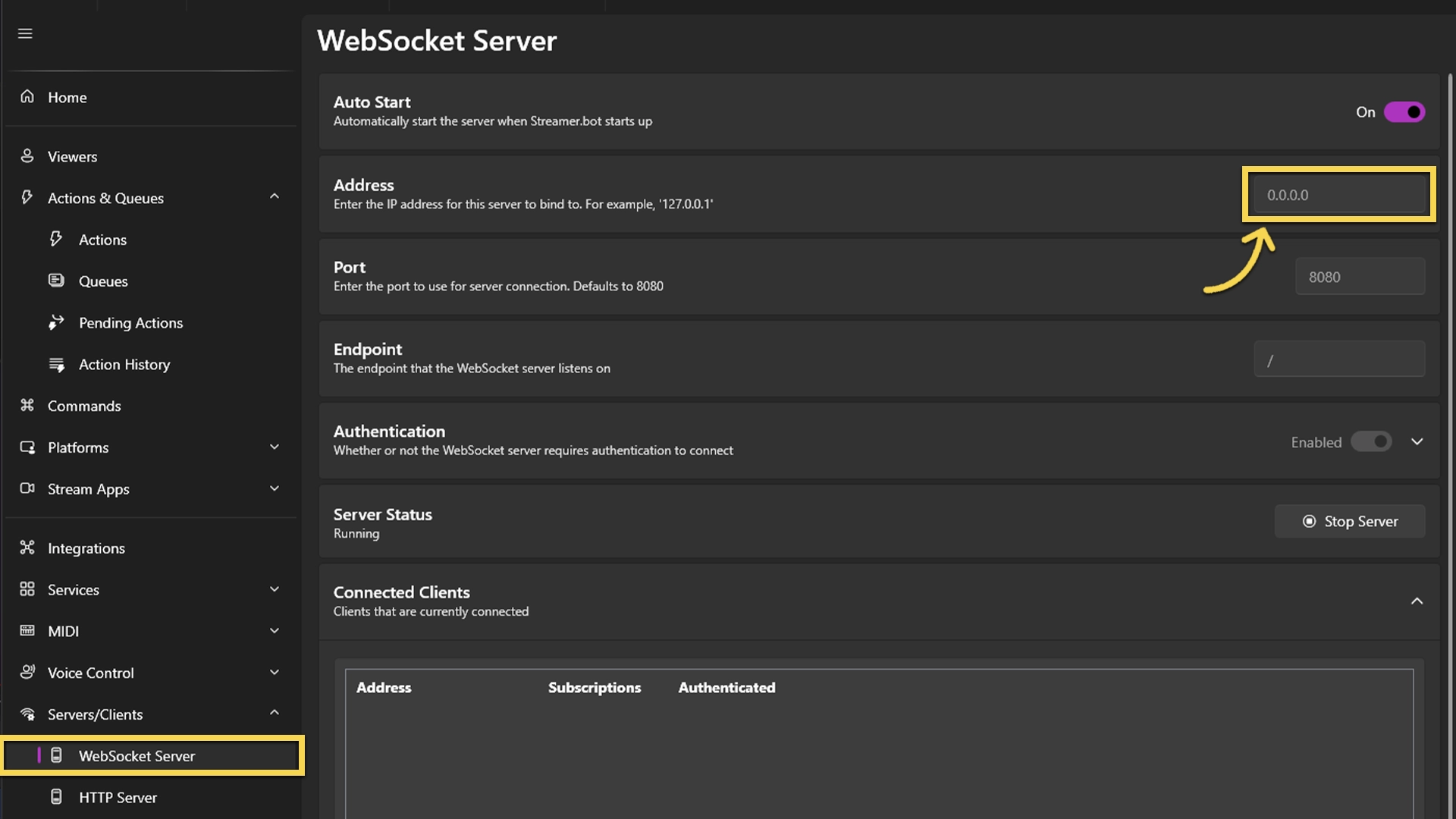
Then we move to your
PC that has OBS installed :Copy the URL of the overlay you want to add in your browser, then rightclick into the page and hit
Save as... 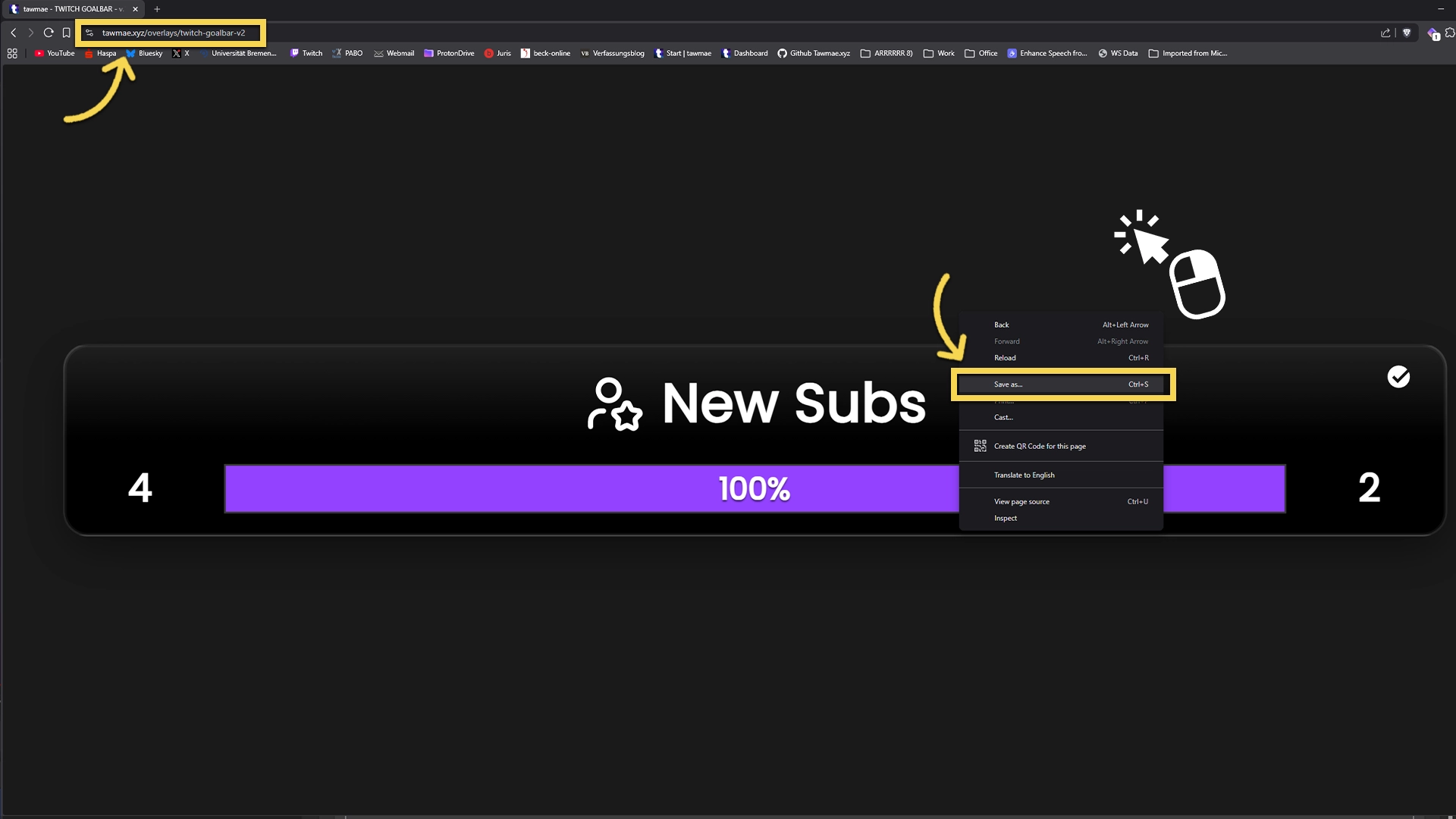
Leave the filename as is, and for
Save as type: selectWebpage, HTML Only (*.html;*.htm) and save it anywhere on your PC. We need that path later for the browser source.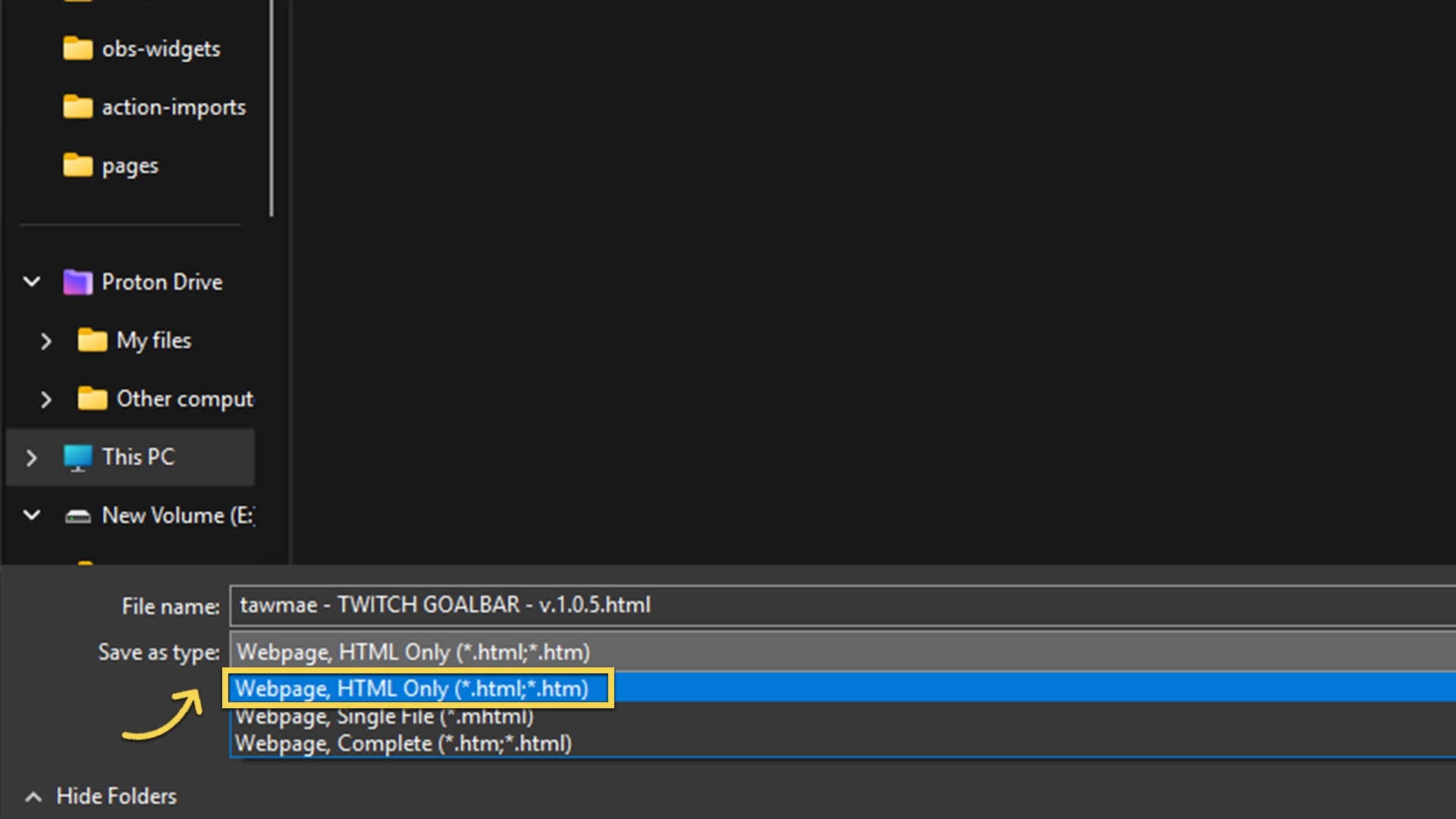
Back to the
PC that has Streamer.bot running , open your Windows command prompt by typingcmdinto your search bar. Once it opens, type inipconfigand hit enter.This will show the local IP of your Streamer.bot PC. Look for your ethernet adapter (usually a generic name like on my screenshot) and copy the
IPv4 Address . It always looks similar to something like192.168.0.100.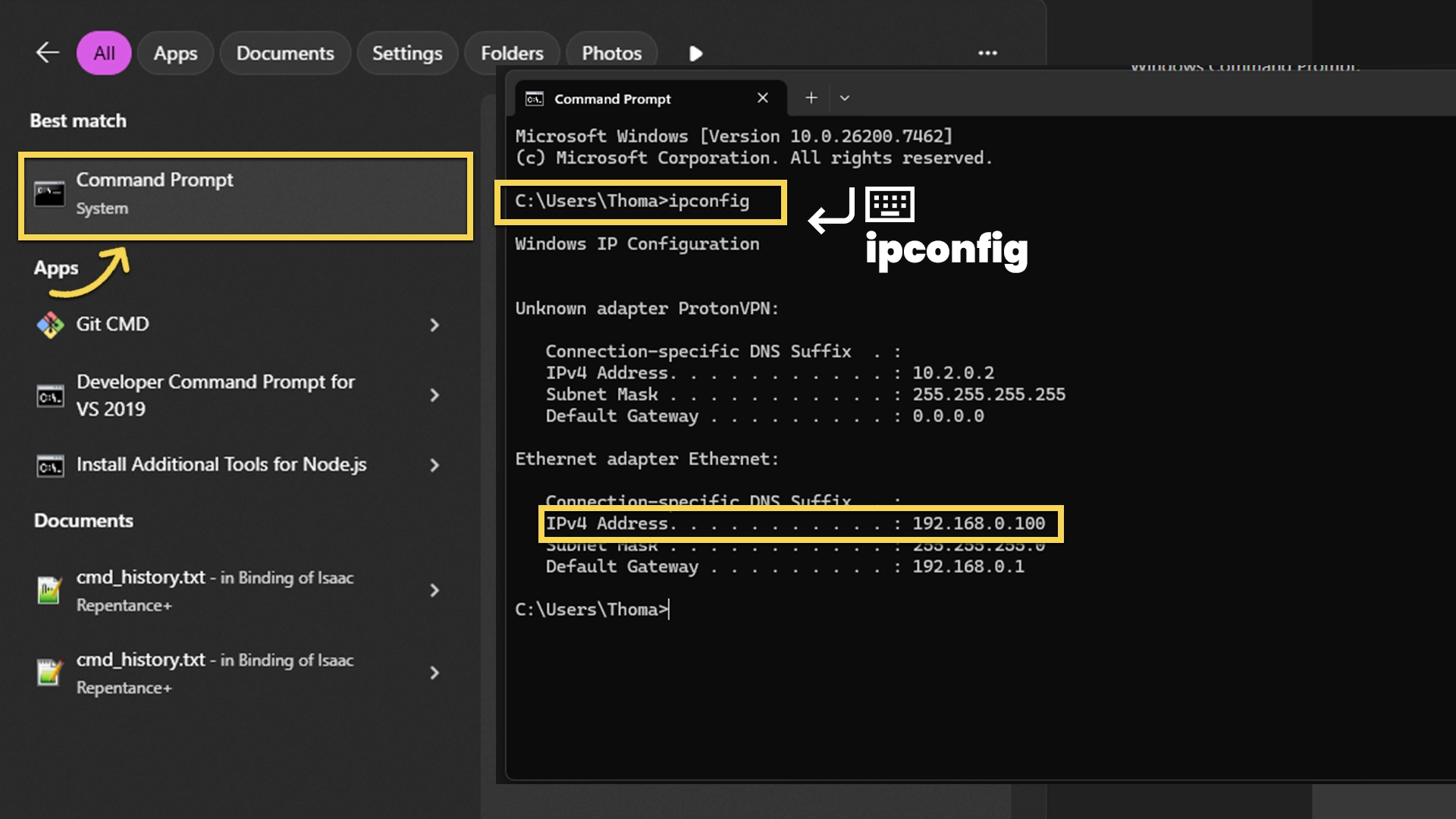
Now in
OBS , create a browser source. LeaveLocal file unchecked. For theURL , manually typefile:\\\and then paste the path of the downloaded.html after that.Then after the path, type
?address=followed by your local IP address we copied earlier. So at the end, your URL look something like this:file:\\\D:\Stuff\Misc\tawmae - TWITCH GOALBAR - v.1.0.5.html?address=192.168.0.100And then you're done! It should connect now. If it doesn't, make sure your Firewall on the Streamer.bot PC is not blocking the connection. Disable the firewall briefly, see if it connects and if it does, then try making an exception for the Streamer.bot app.
Note: If you want to change the port as well, just attach
&port=1234at the end of the URL.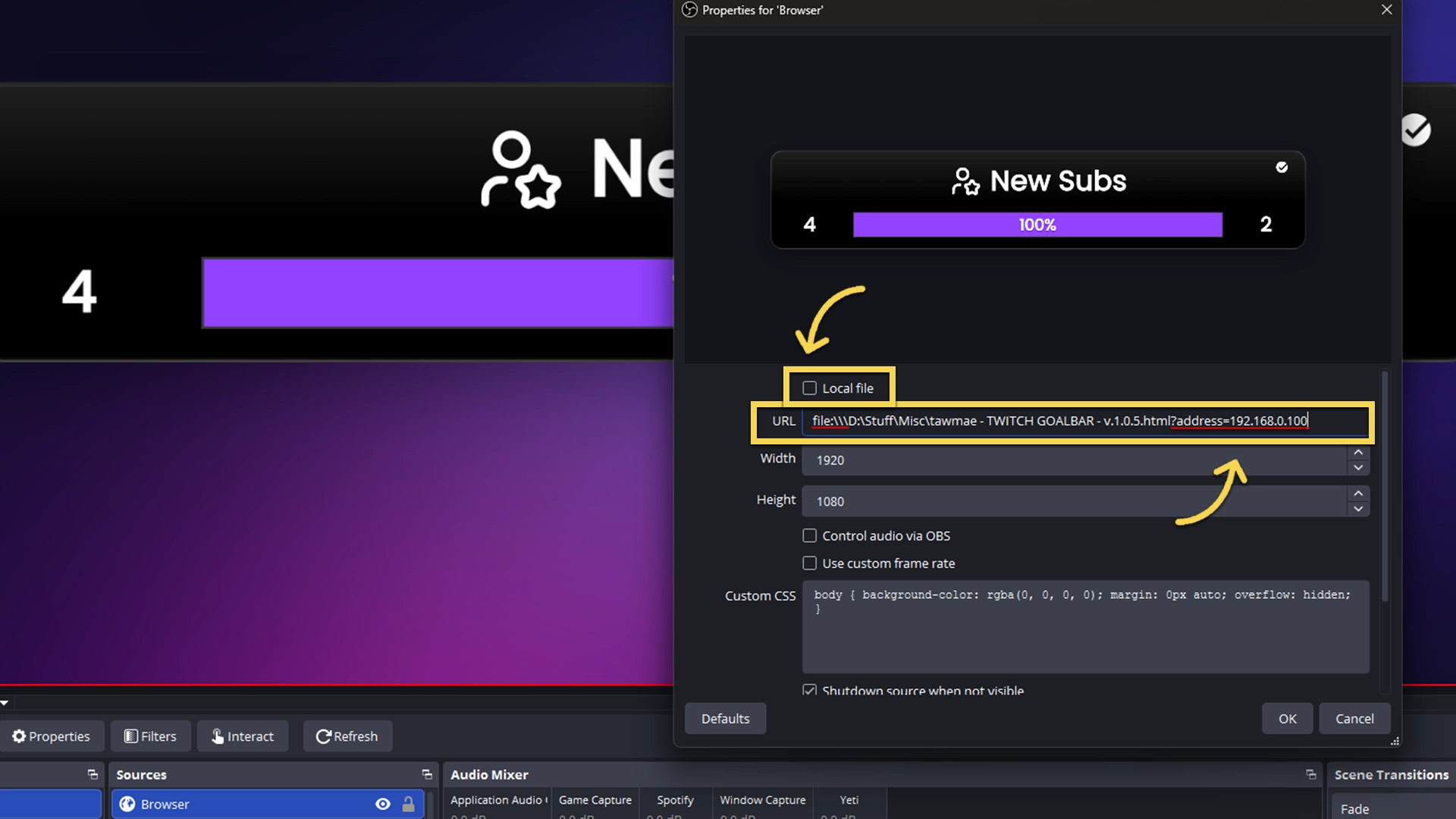
How To Export Firebot Points
Export your Firebot loyalty points so you can import them into Streamer.bot.
In
Firebot , go toSettings , thenBackups and create a backup withBackup Now .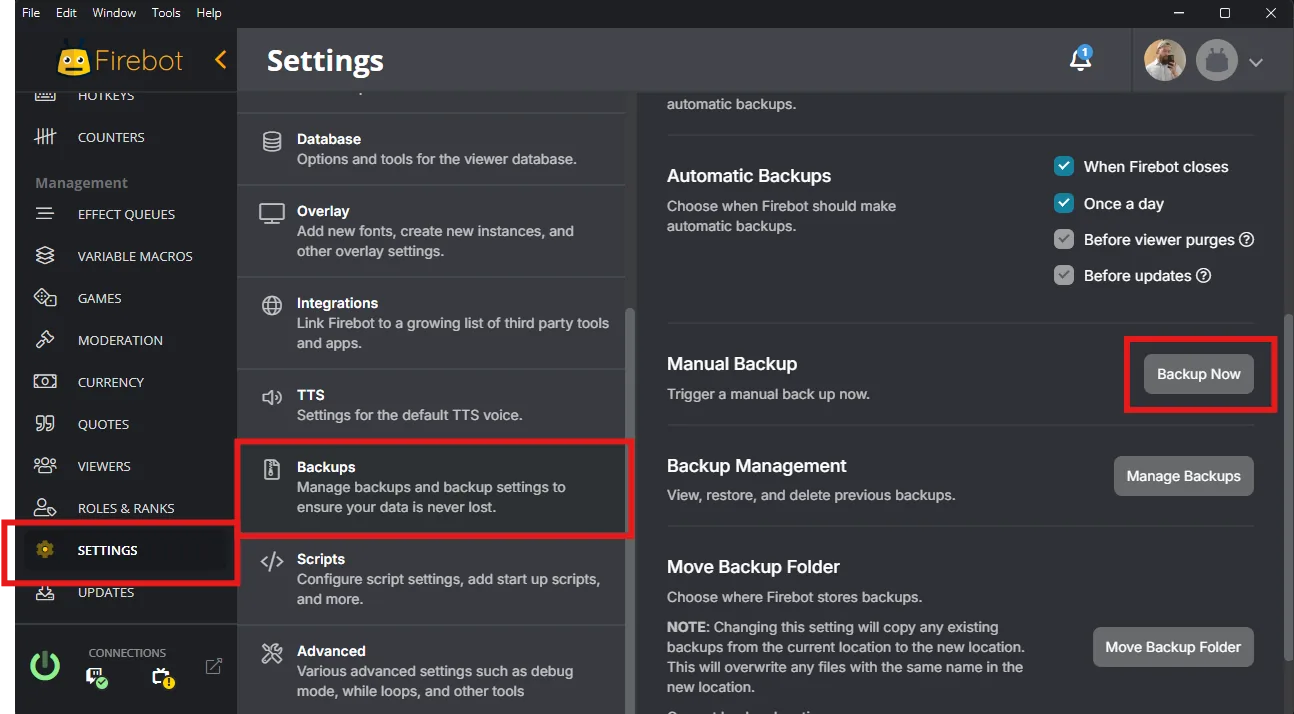
Click
Manage Backups and thenOpen Backups Folder .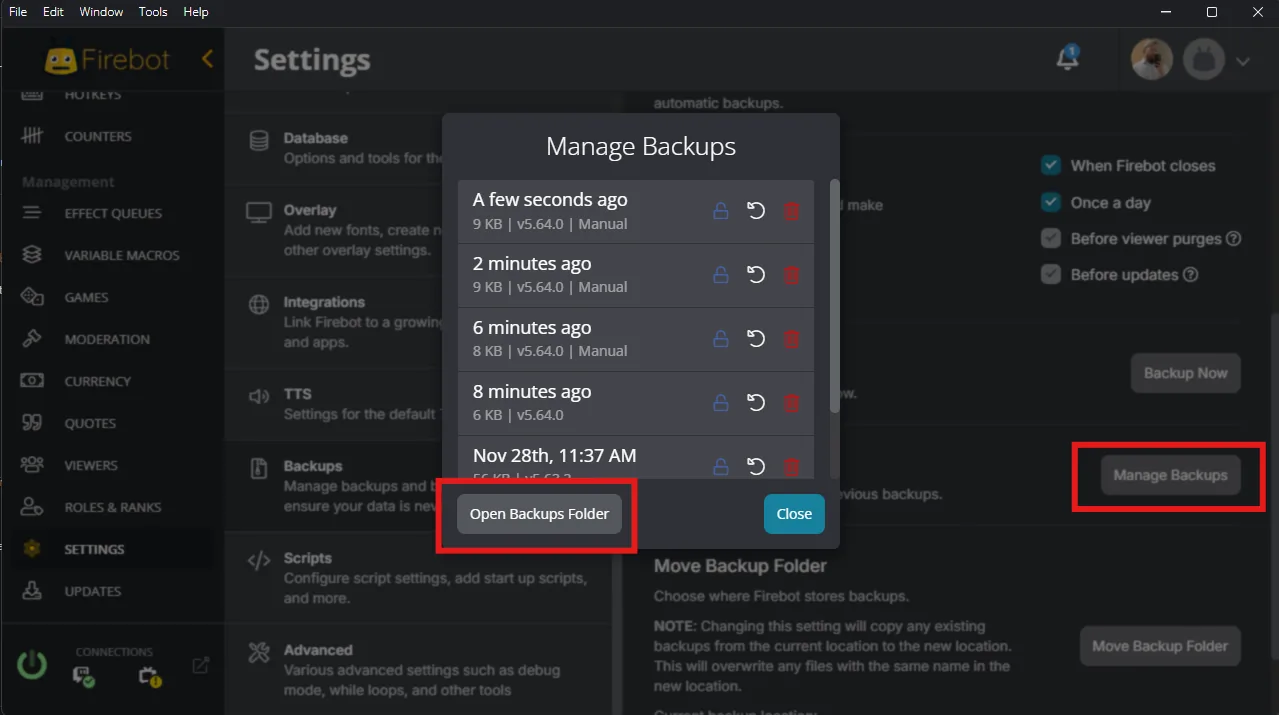
Extract the latest backup
.zip file.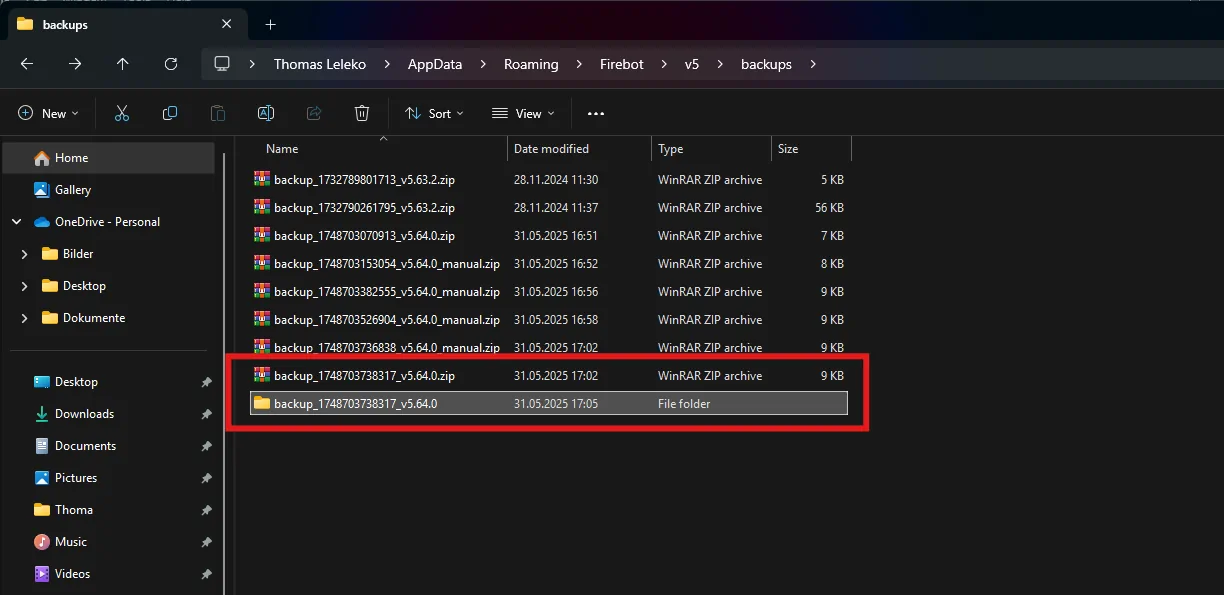
After extracting, go to
profiles → Main → db . The file you are interested in isusers.db .Either copy the file path or move
users.db somewhere you can easily select it later on. After that you can continue inStreamer.bot .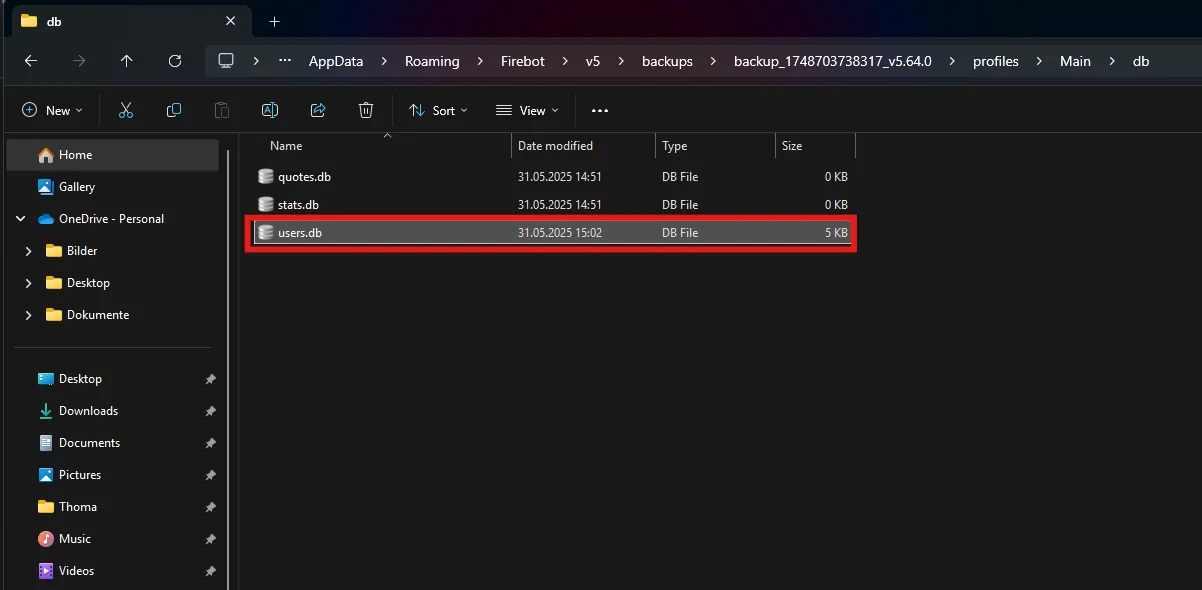
How To Export Mix It Up Points
Export your Mix It Up currency and bring it over to your new system.
In
Mix It Up , go toCurrency/Rank/Inventory in your dashboard.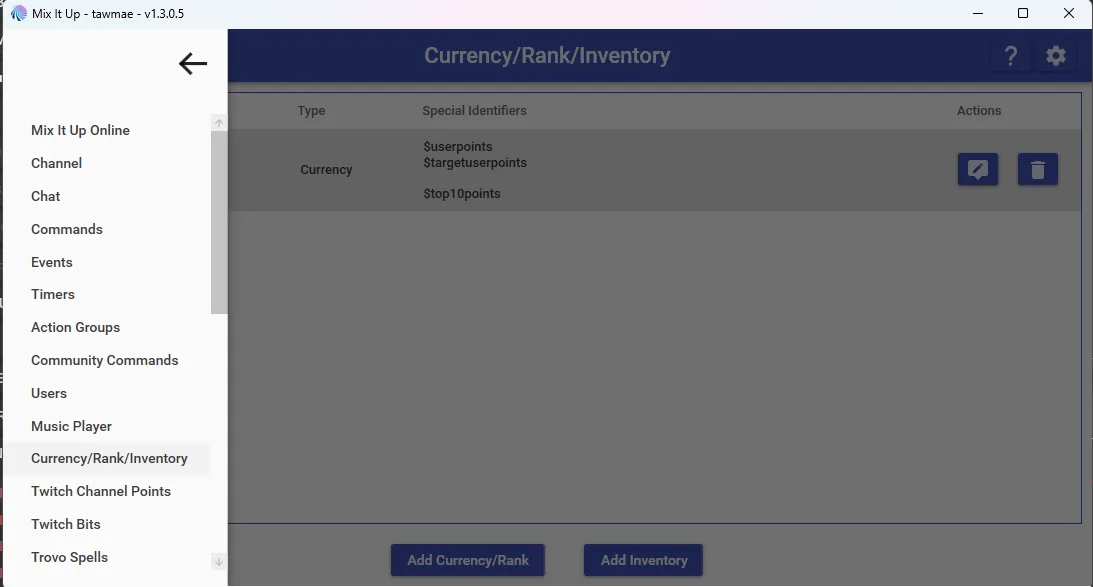
Select your currency and click the
Edit button on the right side.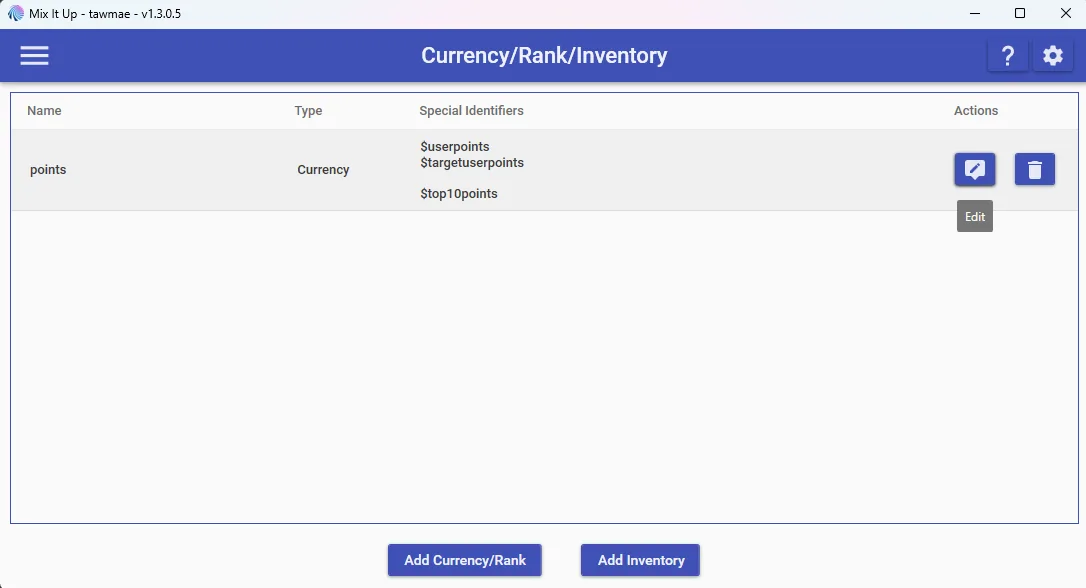
In the bottom-right corner of that window, click
Export Data .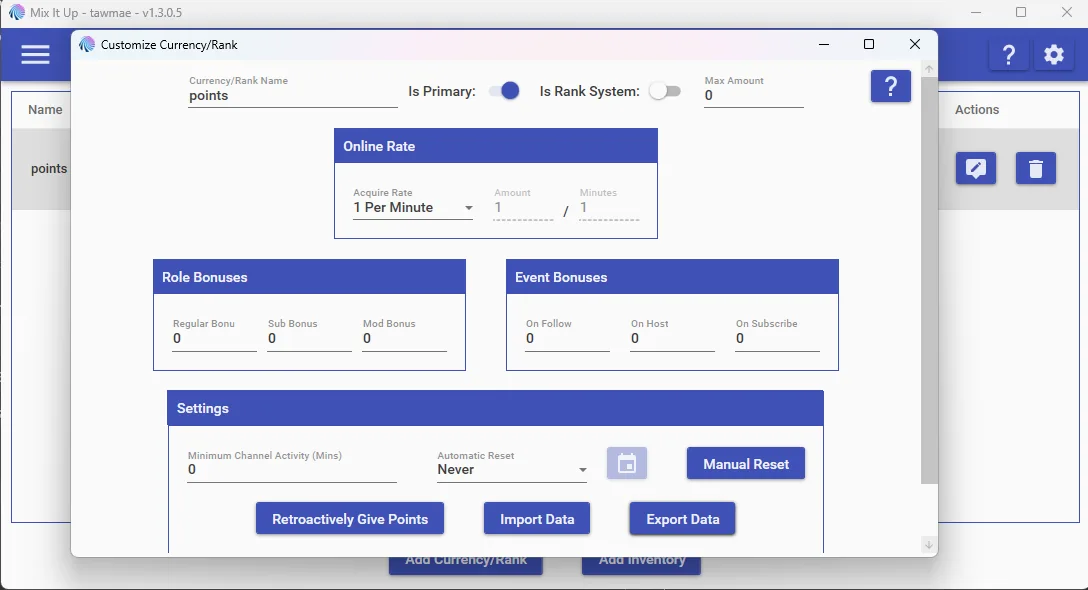
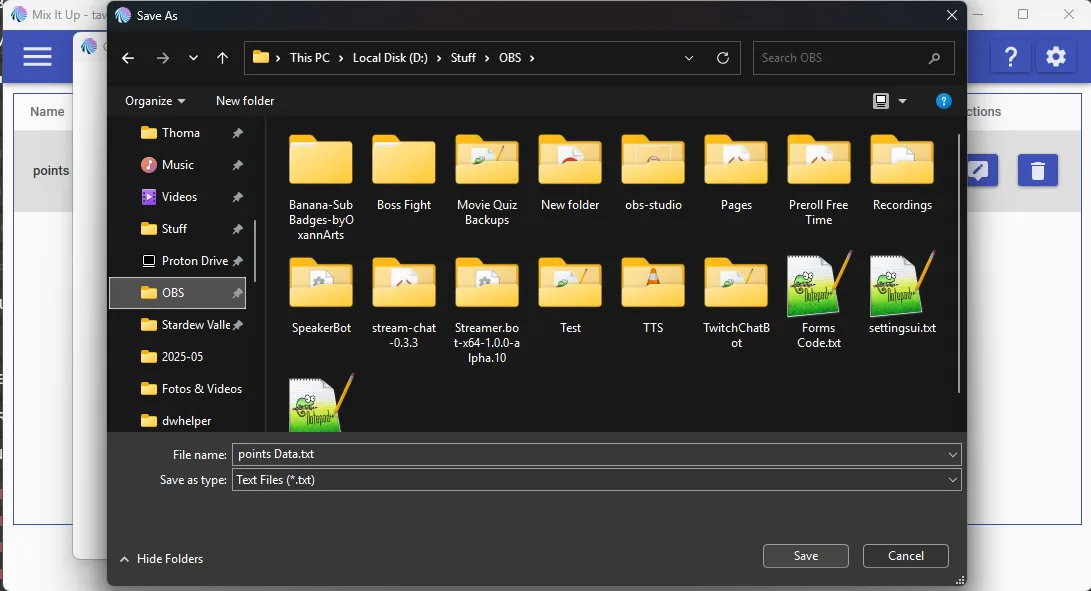
Save the exported file somewhere you will remember.
Because
Mix It Up allows custom currencies, you need to check which column name in the CSV represents your currency.Copy that column name and paste it into the import field for the column name in the extension (usually something like
PointsColumnName ).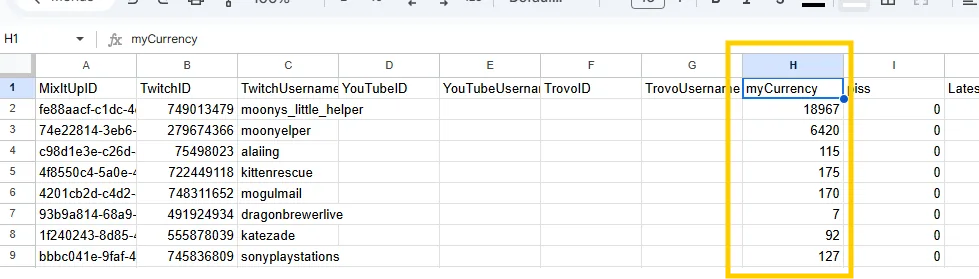
How To Export Mix It Up Watchtime
Export user watchtime data from Mix It Up.
In
Mix It Up , go toUsers in your dashboard.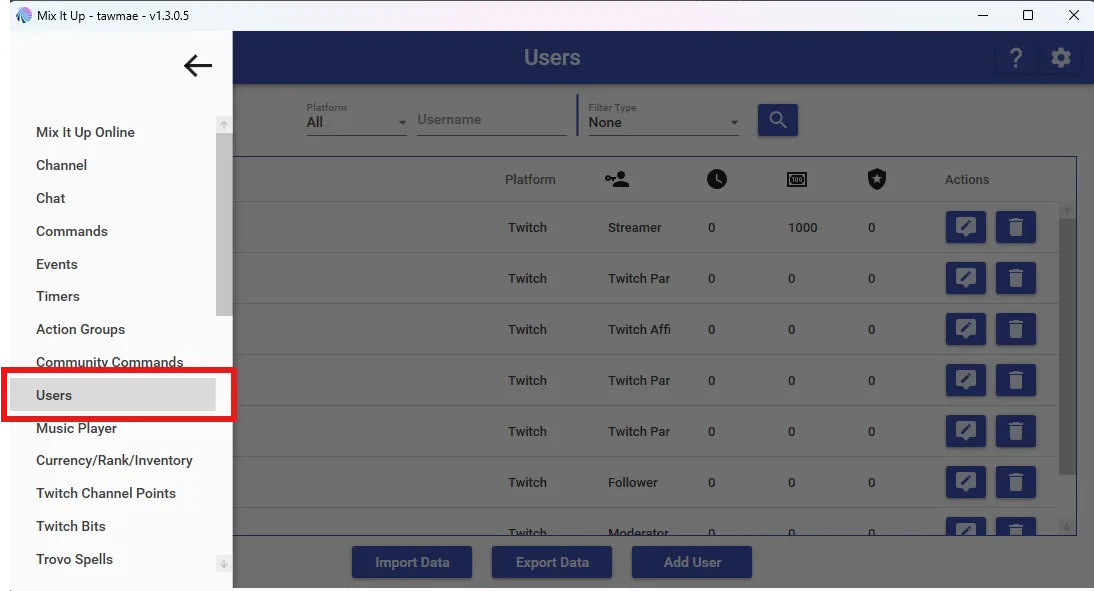
At the bottom of the user list, click
Export Data .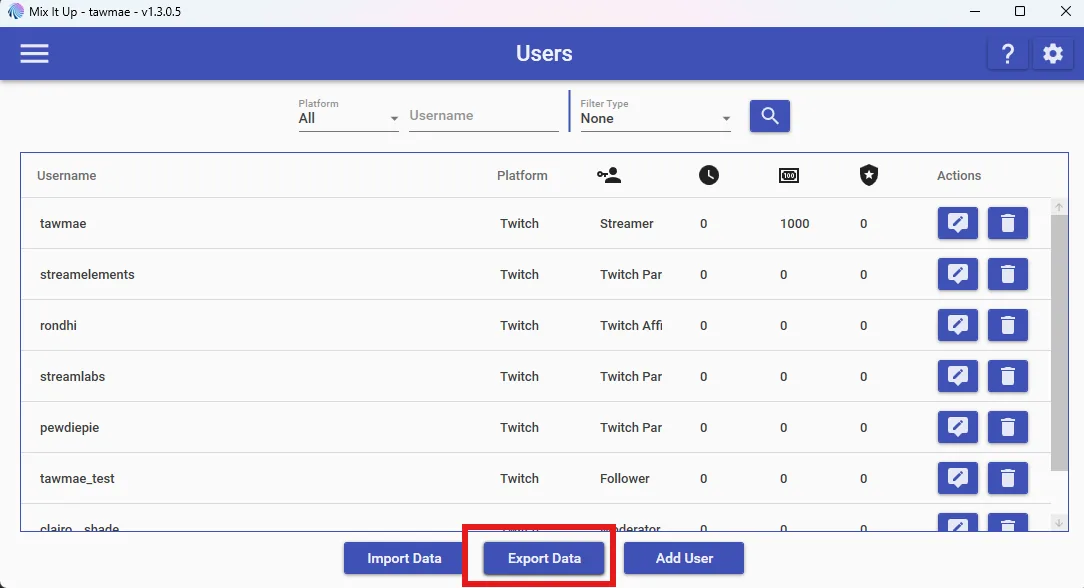
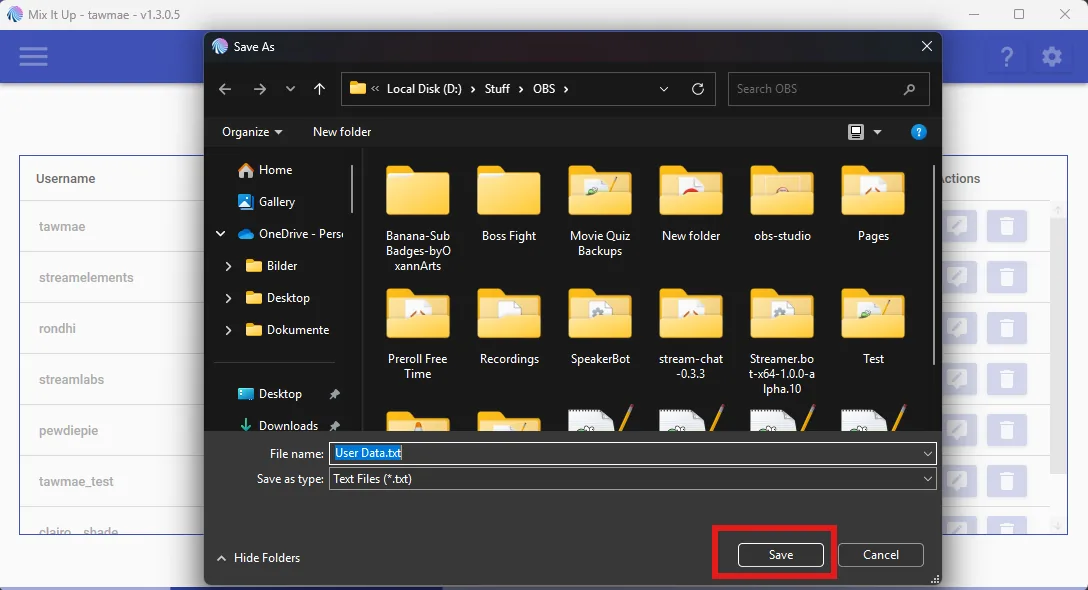
Save the exported file somewhere you remember – and you're done. You can now use that file in the import part of the extension.
How To Export Streamlabs Currency CSV
Export the currency CSV file from the Streamlabs Desktop Chatbot.
This only applies if you are using the
Streamlabs Desktop Chat Bot . If you use theStreamlabs Twitch Extension for loyalty points, you can skip this. You cannot export points from the Streamlabs Cloud Bot.
In
Streamlabs Desktop Chatbot , go to your profile settings by clicking on the user icon.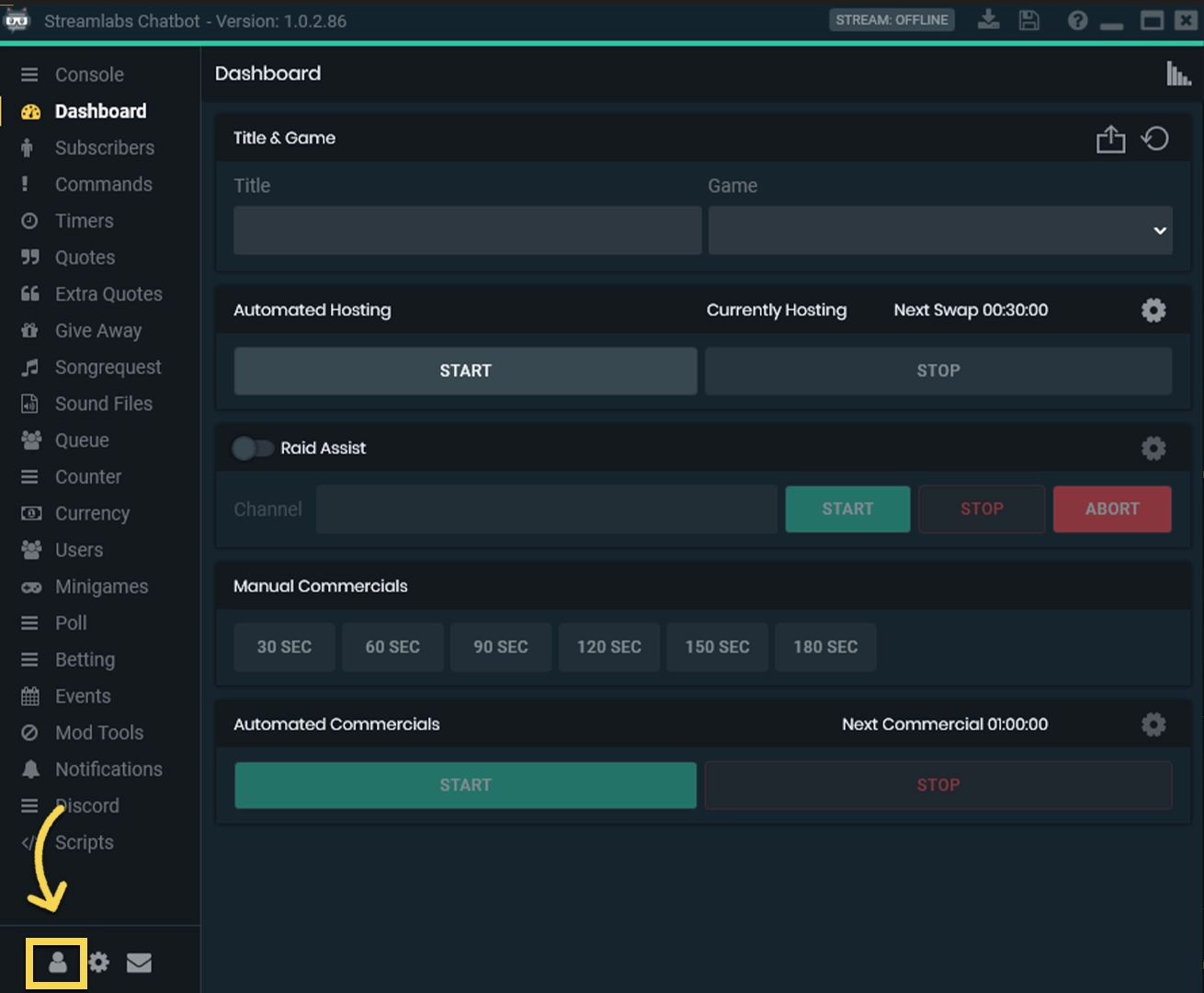
You then click on
Cloud , pick a holder, then hitSave Settings and then you will be able to clickExport Currency CSV to save the CSV file to the selected folder. Don't get confused by the name, it includes both your loyalty points and watchtime.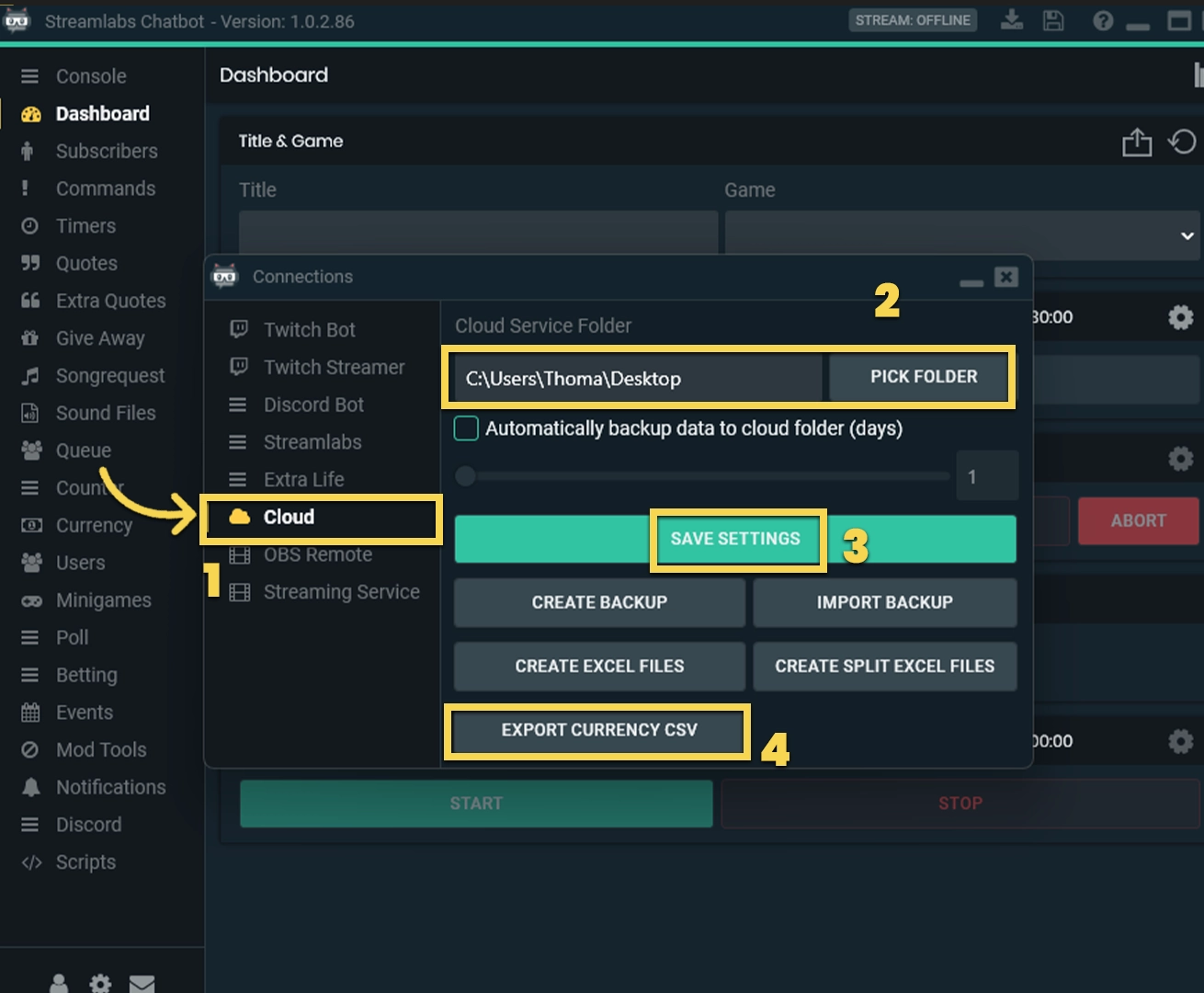
How To Export Streamlabs Points
Export points and hours from the Streamlabs Desktop Chatbot.
This only applies if you are using the
Streamlabs Desktop Chat Bot . If you use theStreamlabs Twitch Extension for loyalty points, you can skip this. You cannot export points from the Streamlabs Cloud Bot.
In the
Streamlabs Desktop Chatbot , click on the littleUser Icon in the bottom-left corner.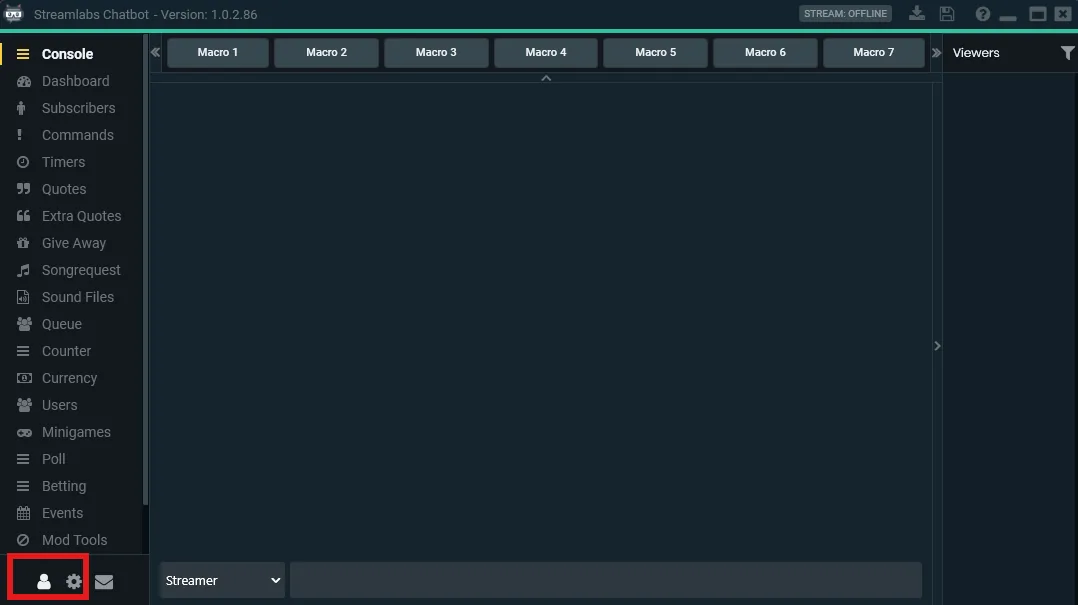
Go to
Streamlabs and make sure you are connected.If you generate a new token,
do not copy it via the copy icon on their website – that token is often invalid. Instead, make it visible and copy it manually. Yes,Streamlabs is like that.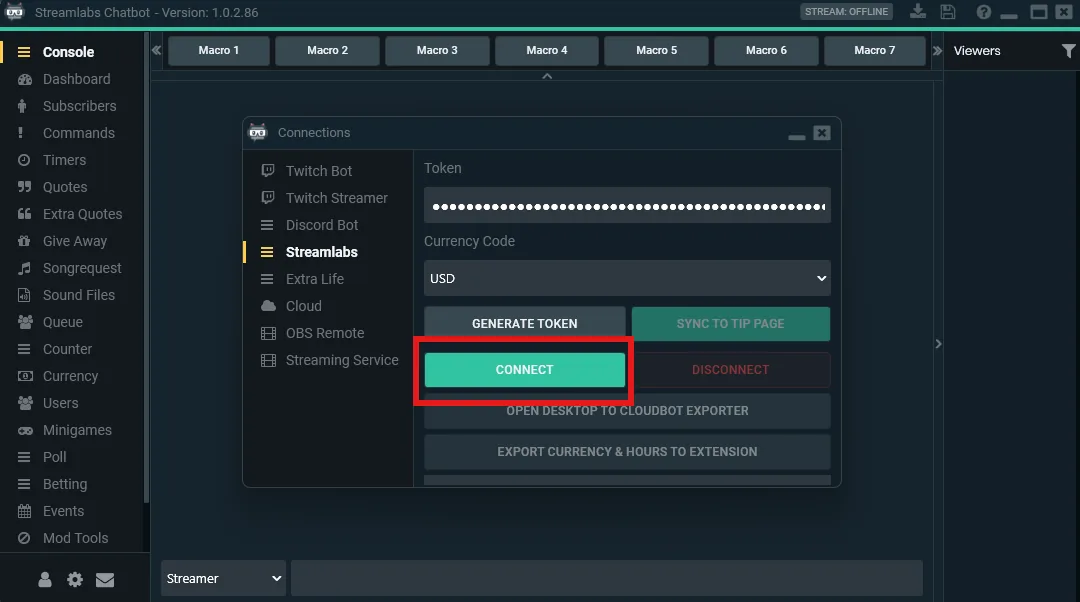
Click
EXPORT CURRENCY & HOURS TO EXTENSION , confirm all dialogs and let it export.Once the export is done, you can continue in
Streamer.bot and use the exported data in the extension.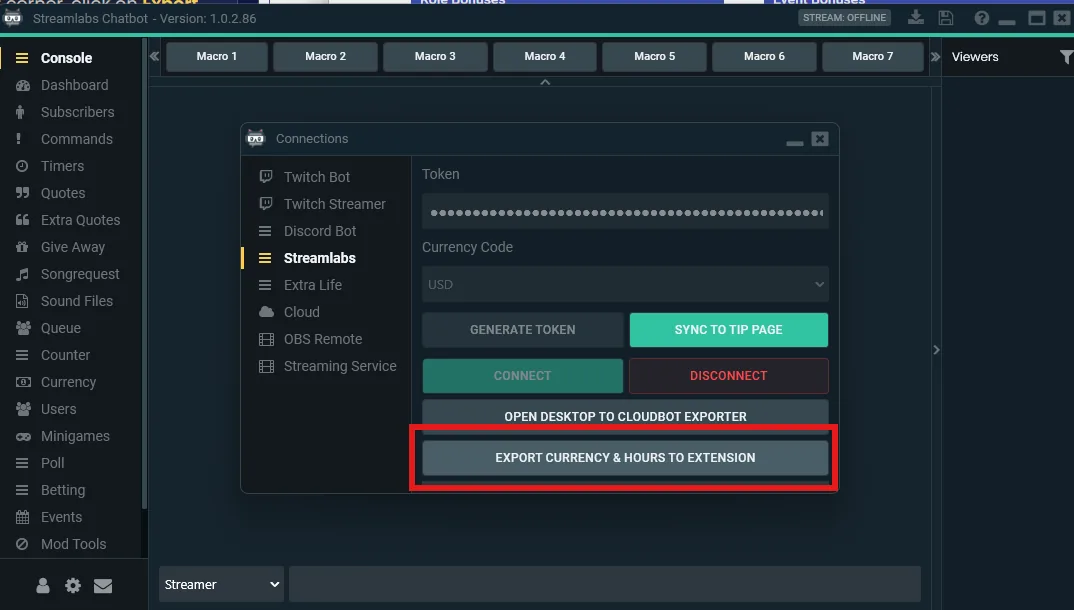
How To Export Wizebot Points
Export your virtual currency from Wizebot as a CSV file.
Go to
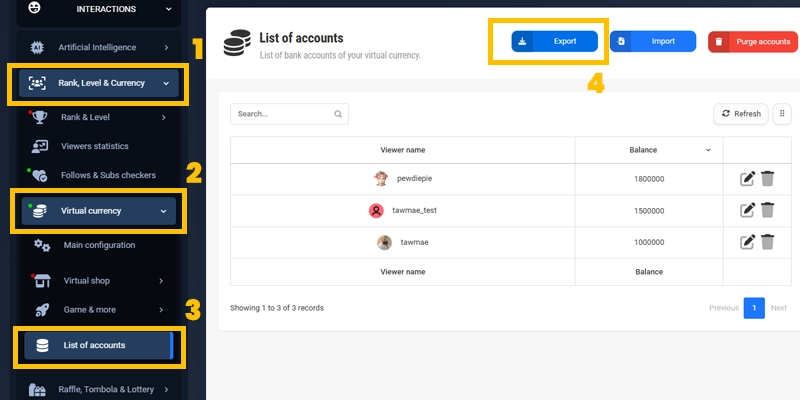
Interactions → Rank, Level & Currency → Virtual Currency → List of accounts in yourWizebot dashboard.Then click the
Export button above the list and save the exported.csv file.That's it – you can now use that CSV file as a source when importing into the extension.