TIP JAR

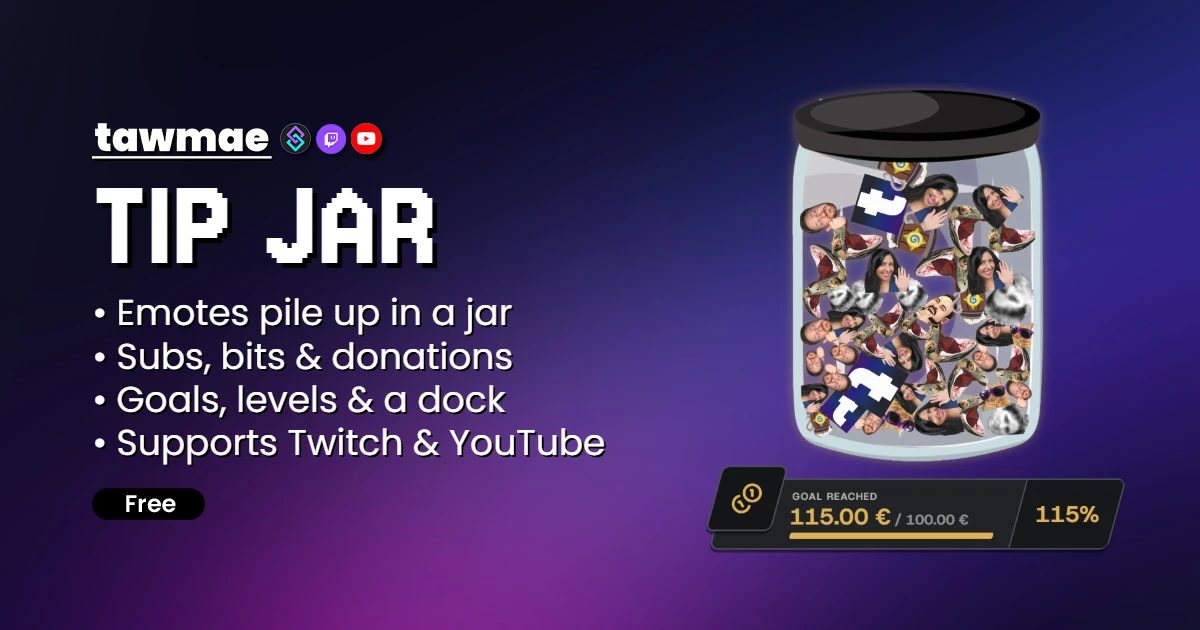
A tip jar for Twitch & YouTube that fills up with your custom emotes or images. Supports all kinds of events and donations and is fully customizable! Powered by Streamer.bot.

  • Subs, bits, donations, raids & channel points fill the jar
  • Allows for custom emotes or any images you like as fillers
  • Got your own jar design? I gotchu covered!
  • Fully customizable
  • OBS dock to add, remove and reset
Tip Jar page card

Quick Access

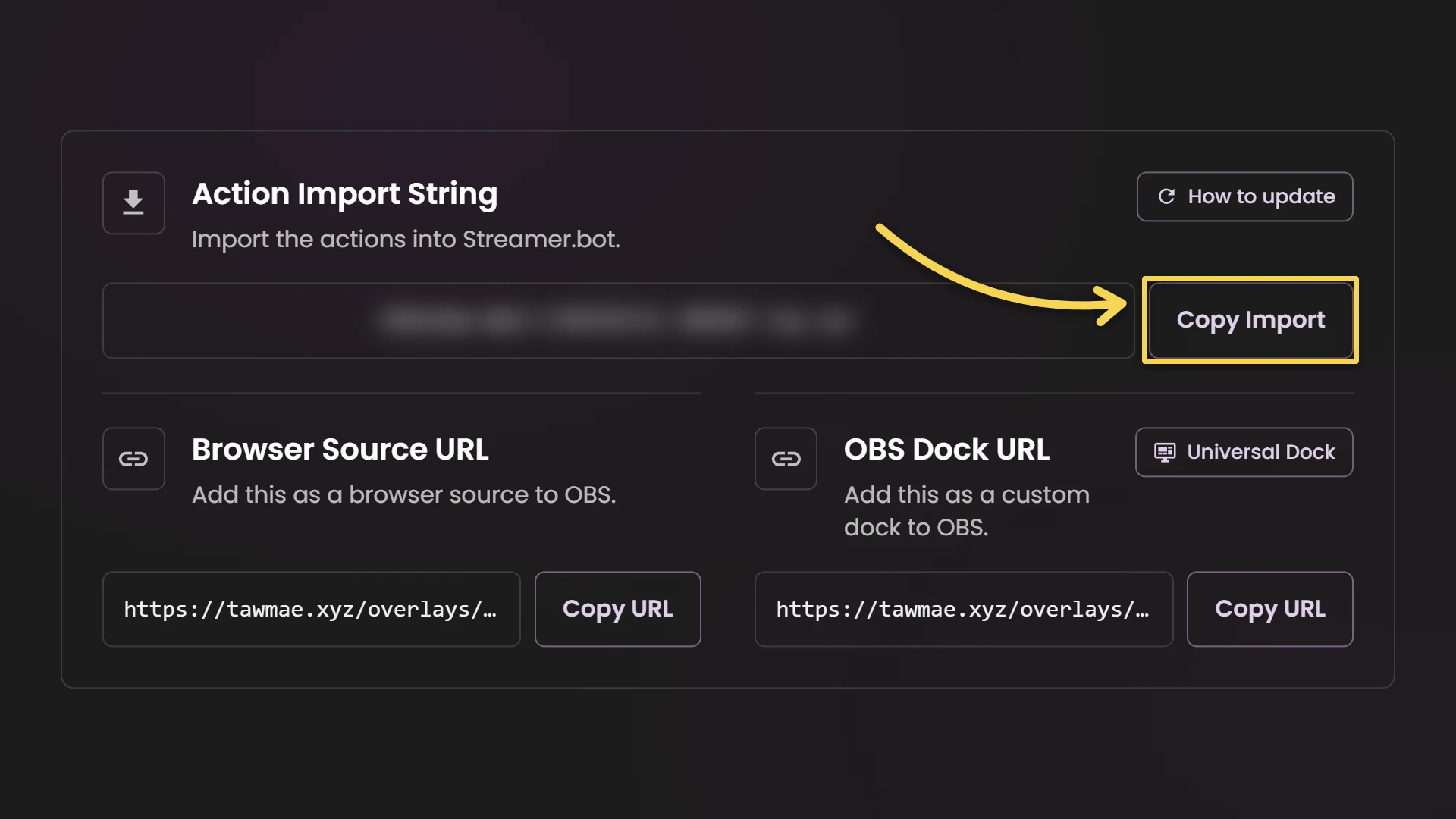
Action Import String

Import the actions into Streamer.bot.
Loading...

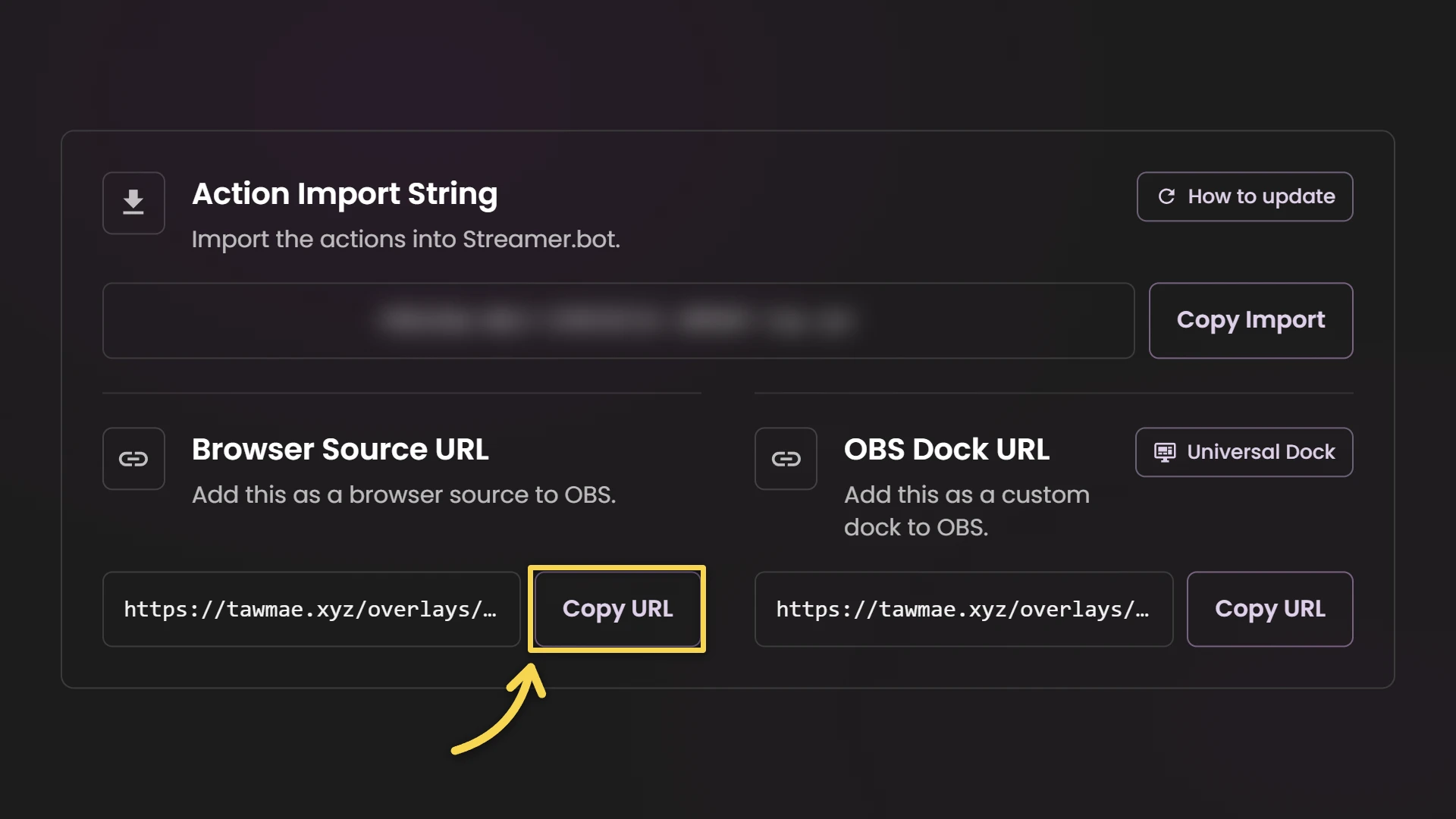
Browser Source URL

Add this as a browser source to OBS.
https://tawmae.xyz/overlays/tip-jar

OBS Dock URL

Add this as a custom dock to OBS.
https://tawmae.xyz/overlays/tip-jar-dock

Setup Guide

1

Copy the Action Import String

Copy the Action Import String from Quick Access.

2

Import into Streamer.bot

In Streamer.bot click Import in the top menu. Paste the text into the Import String field. Click Import at the bottom.

NoteRequires TawmaeUI.dll 1.9.1 or newer. Get it at tawmae.xyz/dll if you don't have it yet.
3

Start WebSocket Server

Go to the tab Servers/Clients → WebSocket Server. Enable Auto Start WebSocket Server. Address 127.0.0.1. Port 8080. Optional password. Leave Enforce All Requests unchecked. Start the server.

4

Copy Browser Source URL

Copy the Browser Source URL from Quick Access.

5

Add Browser Source in OBS

In OBS, create a new Browser Source. Paste the copied URL into URL and set the Width and Height to your OBS canvas size (e.g. 1920x1080).

WarningIf you want to have the browser source in multiple scenes, don't create a second browser source. Instead, use nested scenes or source clones.
6

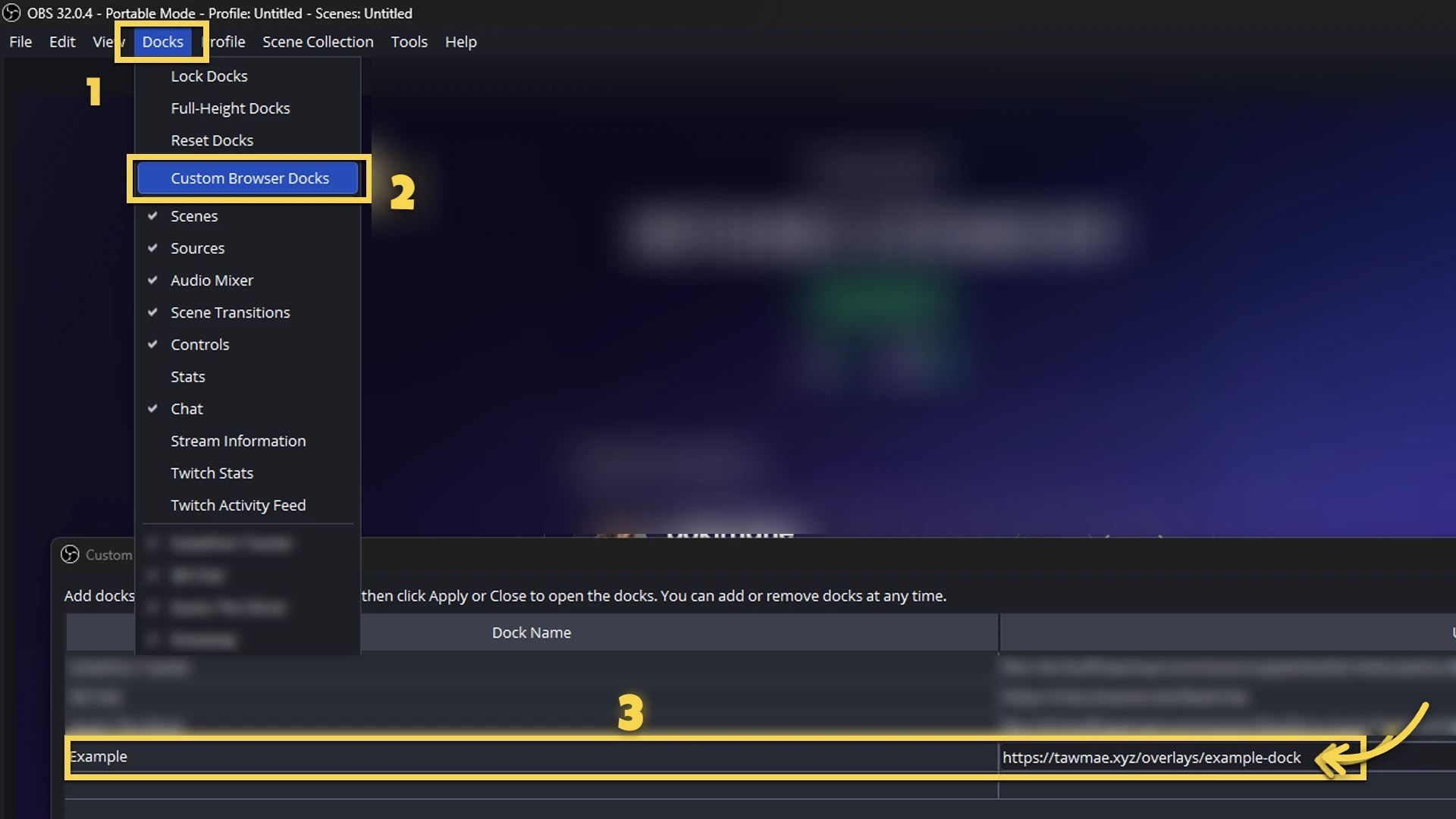
Add the dock (optional)

Copy the OBS Dock URL from Quick Access. In OBS click Docks → Custom Browser Docks, give it a name and paste the URL.

7

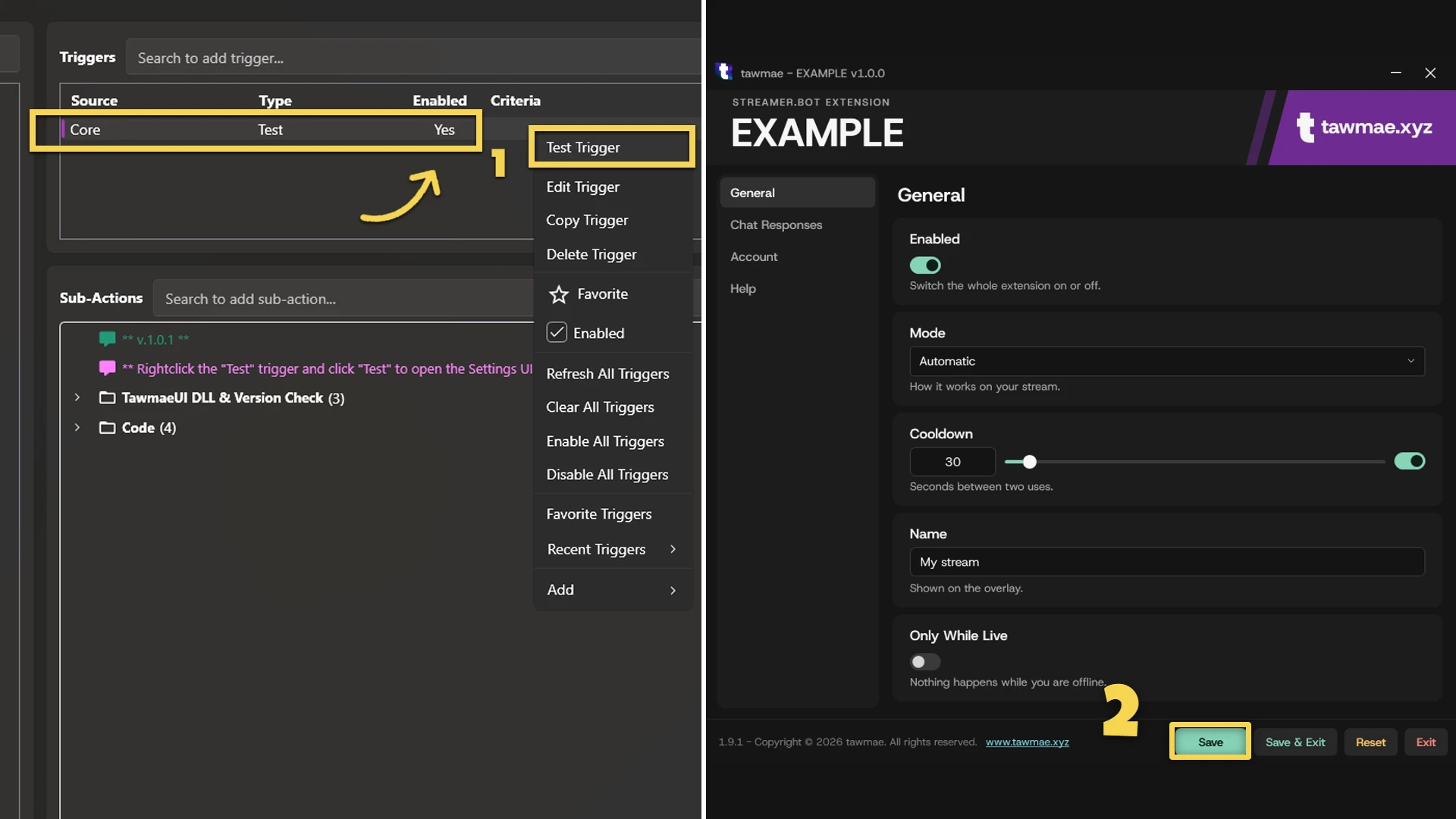
Set your goal

Open the action [TIP JAR] #0 - Settings, right-click the Test trigger and hit Test Trigger. Set your goal and what everything is worth.

8

Customize it

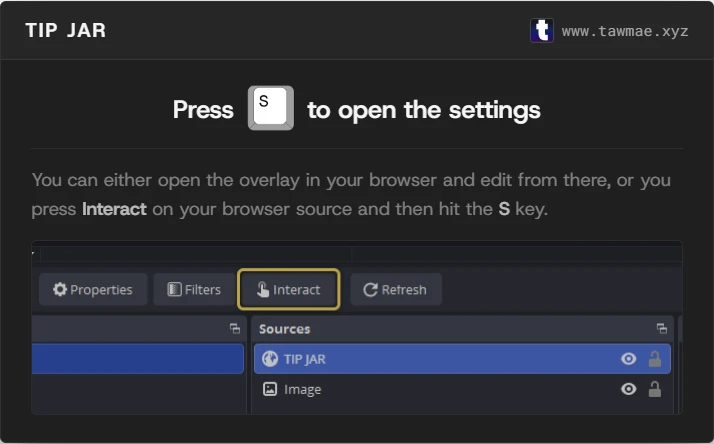
Right-click the browser source, click Interact and press S.

9

Done!

And you are done!

NoteDonations need your platform (Ko-fi, StreamElements, Fourthwall, Throne, etc.) connected to Streamer.bot.

Settings UI

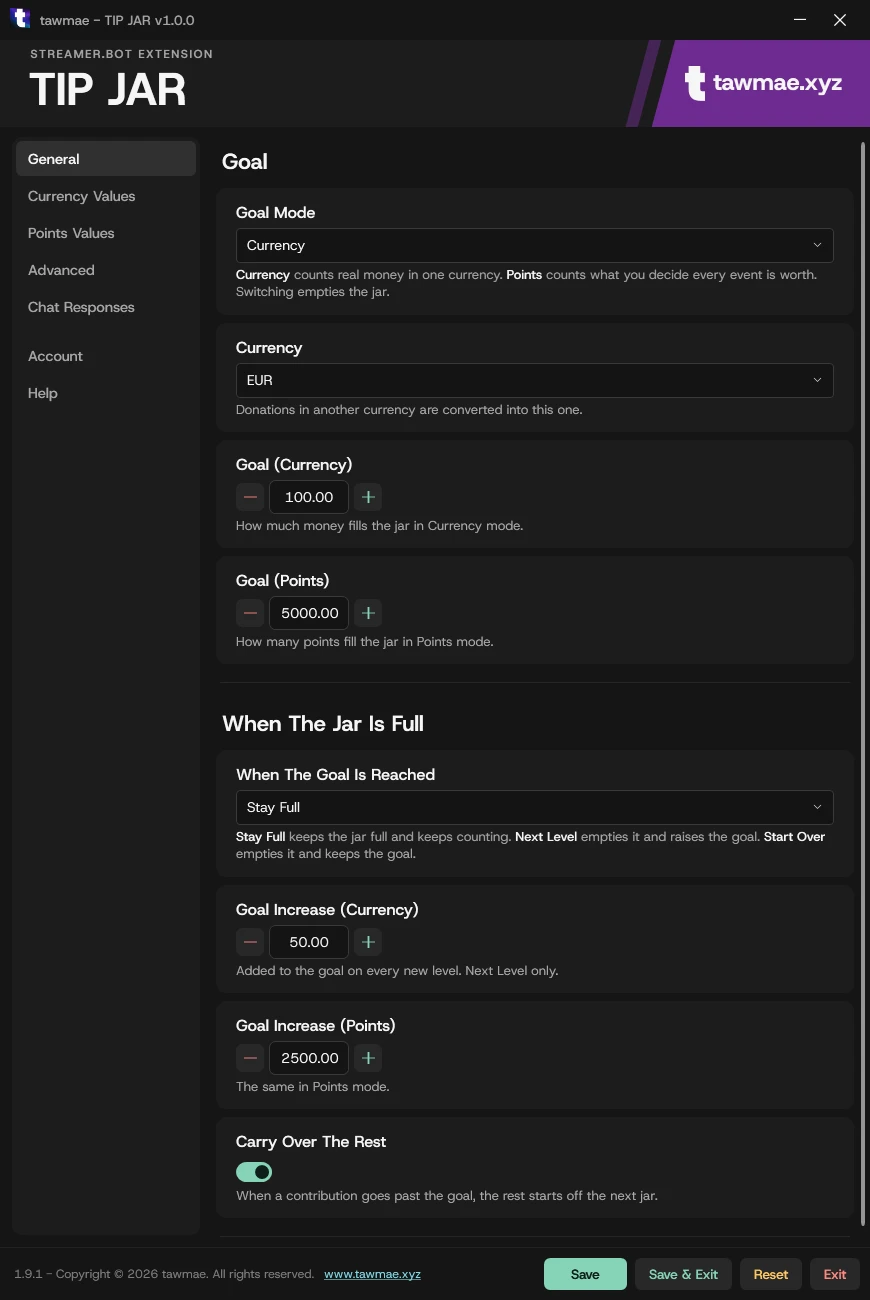
General

The goal, and what happens when the jar is full.

  • Goal Mode Currency counts real money in one currency. Points counts what you decide every event is worth.
  • Currency Donations in another currency are converted into this one.
  • When The Goal Is Reached Stay full and keep counting, go to the next level with a bigger goal, or start over.
  • Carry Over The Rest What goes past the goal starts off the next jar.

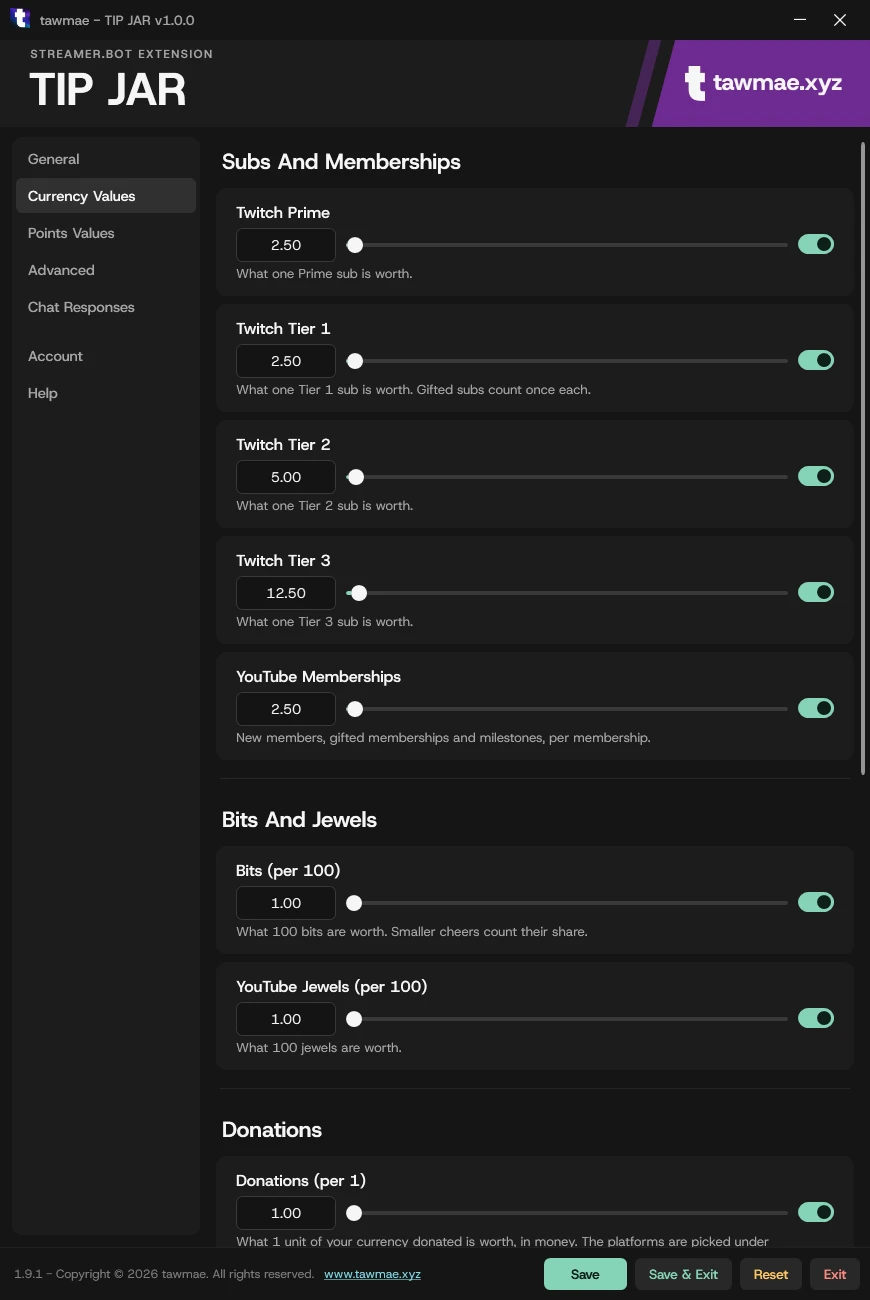
Currency Values

What every event is worth in money, each with its own switch.

  • Subs and memberships Prime, Tier 1, Tier 2, Tier 3 and YouTube memberships. Gifted ones count too.
  • Bits and Jewels Per 100. Smaller cheers count their share.
  • Donations Per 1 of your currency, charity donations separately.
  • Follows, subscribers, raids and channel points Off by default.

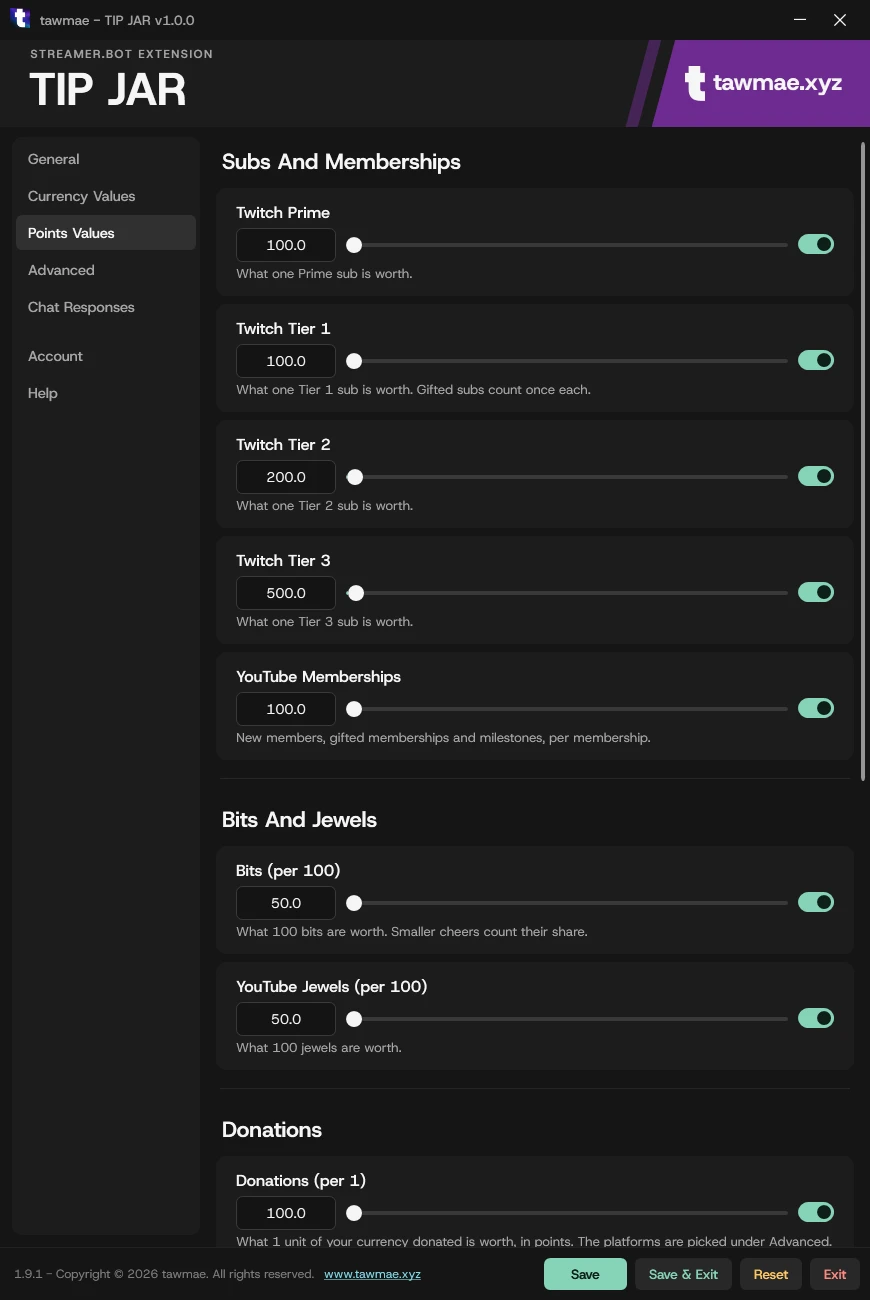
Points Values

The same in points, for the Points mode.

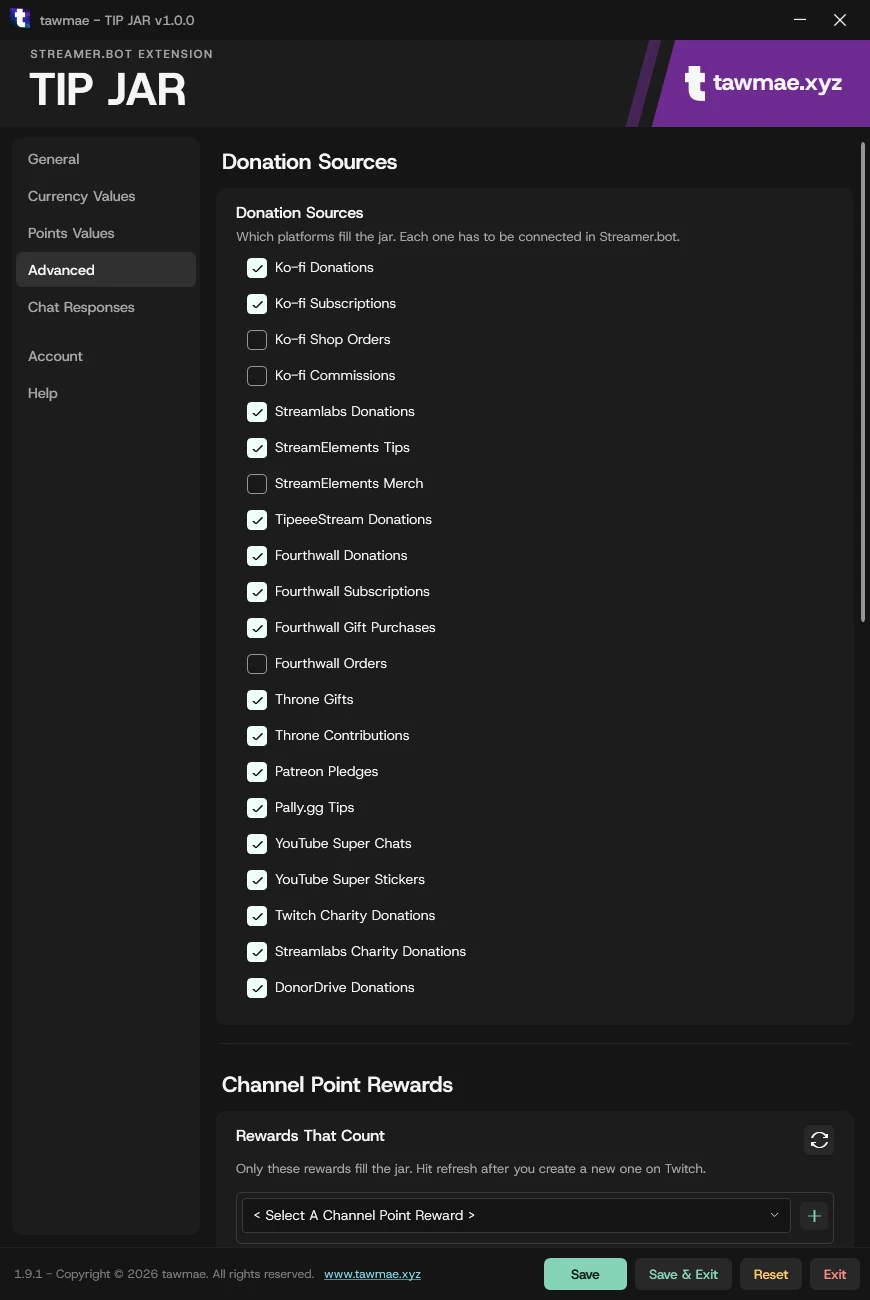
Advanced

What counts and when.

  • Donation Sources Ko-fi, Streamlabs, StreamElements, TipeeeStream, Fourthwall, Throne, Patreon, Pally.gg, Super Chats and more. Pick which ones fill the jar.
  • Rewards That Count The channel point rewards that fill the jar.
  • Bits And Power-Ups A minimum cheer, and what Power-ups are worth in bits.
  • Raids A minimum number of raiders, or the same value for every raid.
  • Counting Only count while live, ignore test events, ignore Shared Chat guests.

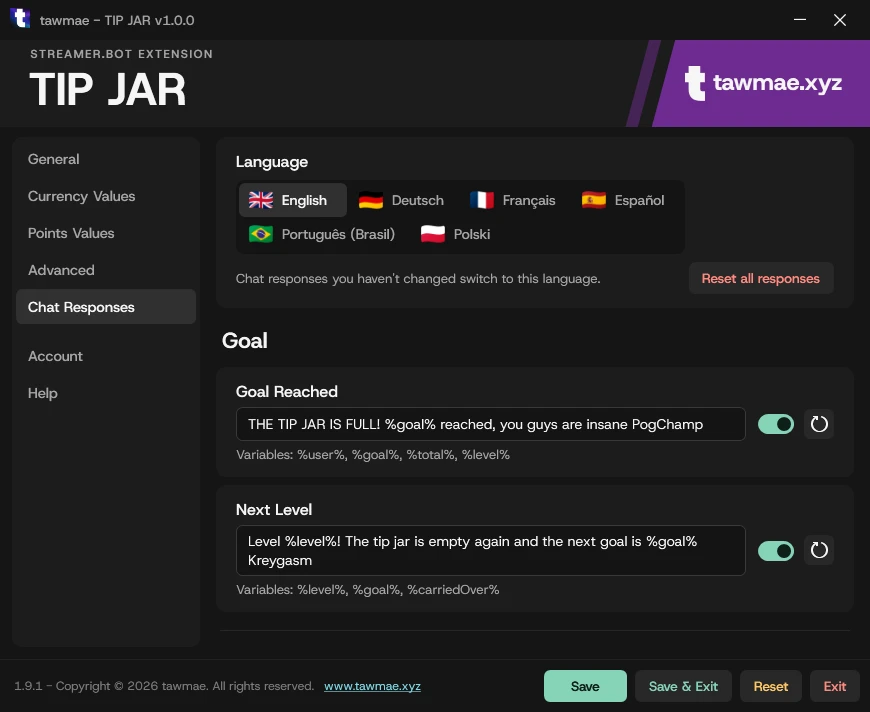
Chat Responses

Two chat messages, each with its own switch, in six languages.

  • Goal Reached %user%, %goal%, %total%, %level%
  • Next Level %level%, %goal%, %carriedOver%

Overlay Settings

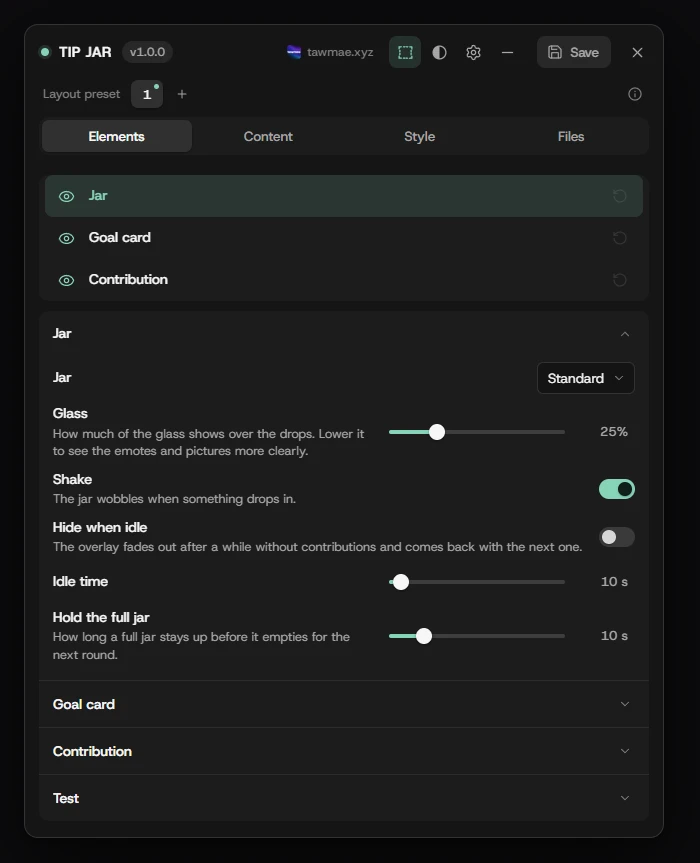
Elements

Right-click the browser source, choose Interact and press S. Every element and every part of the cards has an eye to show or hide it. Drag them right on the overlay and scale them from the corners.

Pick the jar (Standard, Potion, Squidward or your own), how much of the glass shows over the drops, the texts on the goal card and how long a full jar stays up. Up to 5 layout presets, one per canvas.

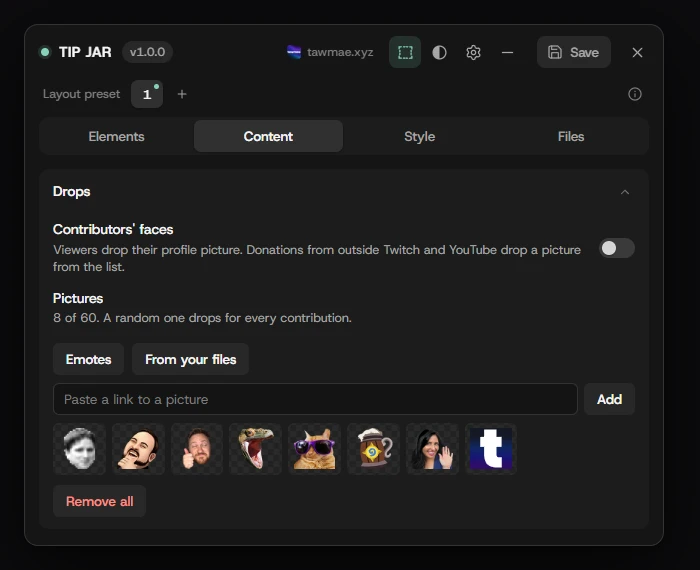
Content

What drops into the jar: Twitch, 7TV, BTTV and FFZ emotes, pictures from your files or a link, or the profile pictures of the people who contributed.

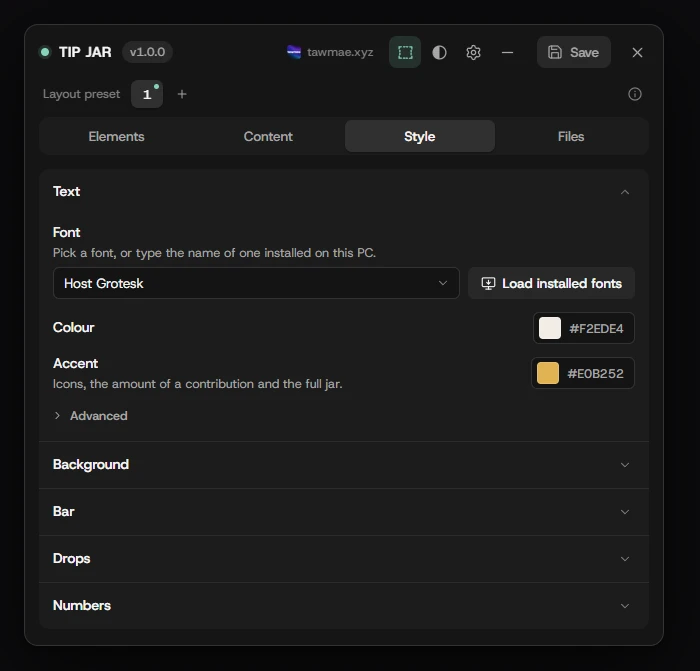
Style

Font, colours, the cards' background and border, the bar, the size and spin of the drops, and the number format.

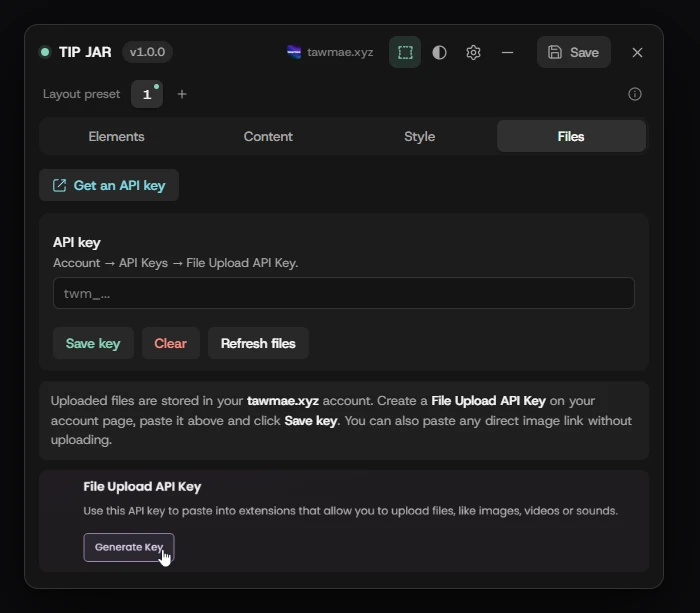
Files

Upload pictures to your tawmae.xyz account, like your own jar. Pick it under Jar Style → Your own and the overlay finds the inside by itself. Add a glass, a lid and a picture for the full jar if you like.

Options

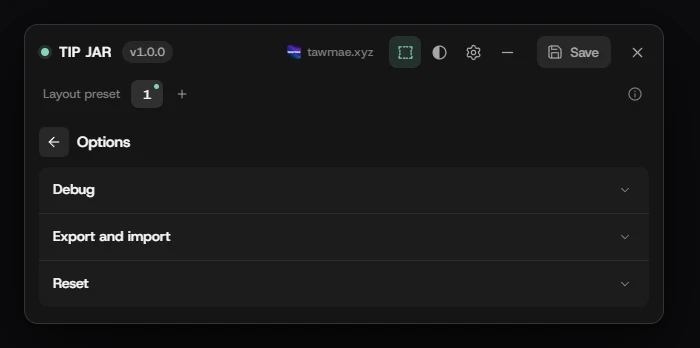
Behind the cog: Debug info to copy when you need help, Export and import for your design, and Reset.

OBS Dock

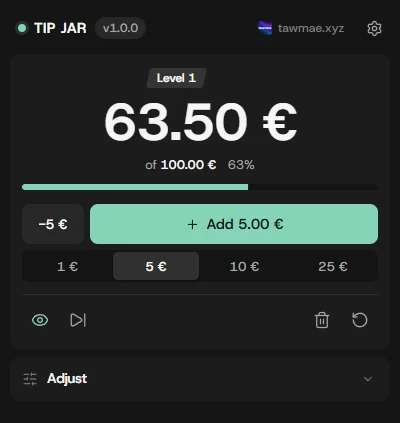
The jar at a glance

The total, the goal and the level. Add or take out the amount you picked, show or hide the overlay, go to the next level, empty the jar or reset everything.

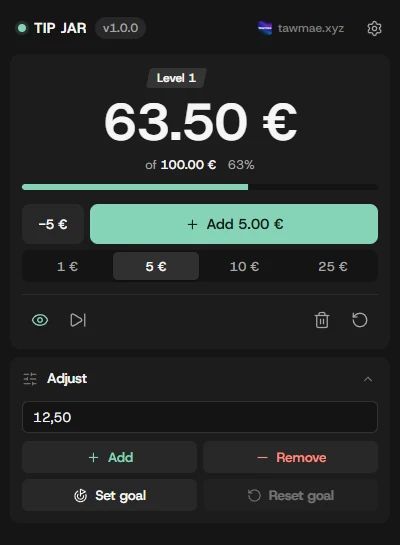
Adjust

Type any amount to add, remove or set as the goal. Reset goal goes back to the goal from the Settings UI.

Custom Triggers

Tip Jar Contribution

Something lands in the jar. Fires when the overlay shows it. Find it under Custom → Tip Jar. Every amount also comes formatted, like totalFormatted.

%user% Type: string

Who contributed.

Example Haunter_56
%platform% Type: string

twitch or youtube.

Example twitch
%avatarUrl% Type: string

Their profile picture.

Example https://static-cdn.jtvnw.net/...
%source% Type: string

What it was: primeSub, t1Sub, t2Sub, t3Sub, ytMembership, bits, jewels, donations, charity, follows, ytSubscribers, raids, channelPoints or manual.

Example bits
%rawAmount% Type: double

The amount as it came in, like the number of bits.

Example 500
%value% Type: double

What it was worth.

Example 5
%total% Type: double

The jar now.

Example 60
%goal% Type: double

The goal.

Example 100
%percent% Type: int

How full the jar is.

Example 60
%goalReached% Type: bool

This one filled the jar.

Example False

Tip Jar Goal Reached

The jar is full.

%goal% Type: double

The goal that was reached.

Example 100
%level% Type: int

The level that was finished.

Example 1
%nextGoal% Type: double

The goal of the next level.

Example 150

Tip Jar Level Up

The full jar emptied and the next level begins.

%level% Type: int

The new level.

Example 2
%goal% Type: double

The new goal.

Example 150
%carriedOver% Type: double

What went past the old goal and starts off the new jar.

Example 15

FAQ & Examples

No FAQs published yet.

Changelog

v1.0.0 latest

  • New Release

User Reviews

– (0 reviews)

No reviews yet :( But you can be the first one!

Before you post your review

Please make sure this is not a support issue. If you have trouble getting it to work, join my Discord, open a support post and attach your logs.

Join the Discord for support ↗