BROWSER SOURCE TWITCH YOUTUBE DLL REQUIRED

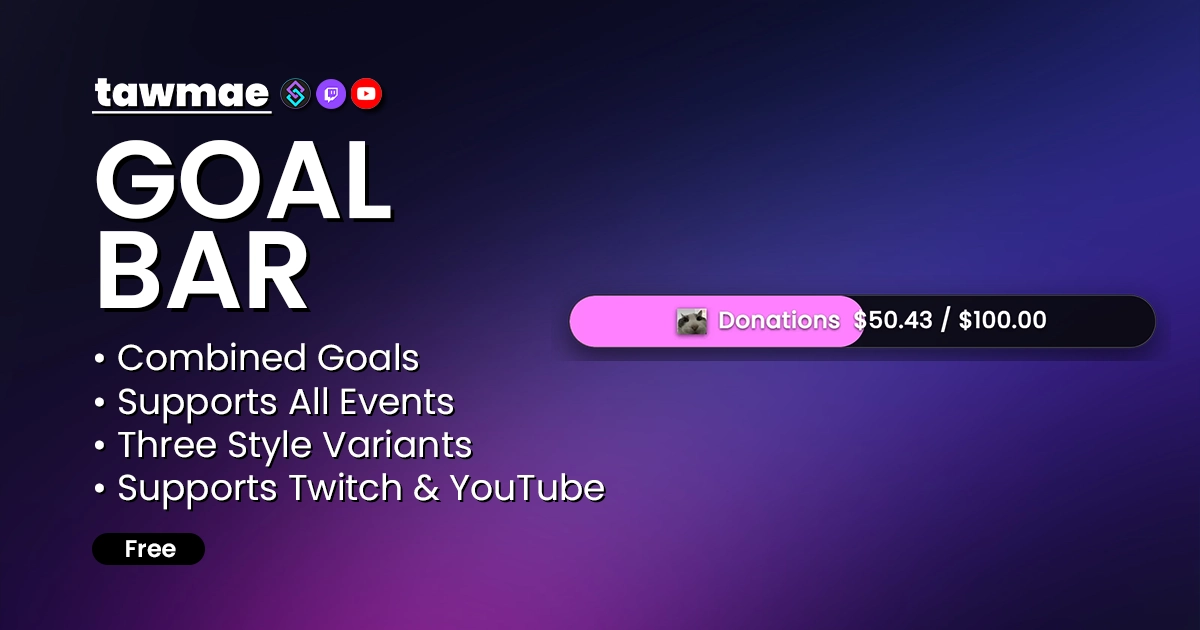
A customizable goal bar for Twitch & YouTube to display followers, subscribers, bits and donations. Powered by Streamer.bot.

  • Easily adjust goals via chat commands
  • Automatic currency conversion for donations
  • Combined overall goal that includes all event types
  • Custom triggers for completed goals
  • Daily goals for new follows and subs
  • Supported events:
    • Subs (of all tiers)
    • Bits
    • Donations (Streamlabs, StreamElements, Kofi, Tipeeestream, Fourthwall)
    • Channel Points
Goalbar Preview
Goalbar preview

Quick Access

Copy what you need to get started. Follow the setup guide below for detailed instructions.

Action Import String

Import the actions into Streamer.bot.
Loading…

Setup Guide

1

Copy the Action Import String

Copy the Action Import text from Quick Access.

2

Import into Streamer.bot

In Streamer.bot click Import in the top menu. Paste the text into the Import String field. Click Import at the bottom.

3

Enable the Commands

Open the Commands tab. Find the imported group. Right-click the group and click Enable All.

4

Run the Settings UI once and hit Save

Open the action [TWITCH GOALBAR] #0 - Settings. Right-click the Test trigger and hit Test Trigger. Click Save.

NoteIf the TawmaeUI.dll is missing, you'll be asked to auto-download. That popup window may appear behind the Streamer.bot window, so make sure to check if nothing appears.
5

Start WebSocket Server

Go to the tab Servers/Clients → WebSocket Server. Enable Auto Start WebSocket Server. Address 127.0.0.1. Port 8080. Optional password. Leave Enforce All Requests unchecked. Start the server.

6

Copy Browser Source URL

Copy the Browser Source URL from Quick Access.

7

Add Browser Source in OBS

In OBS create a new Browser Source. Paste the URL. Prefer setting Width and Height to your OBS canvas size. The bar does however adapt to the width.

WarningIf you want to have the browser source in multiple scenes, don't create a second browser source. Instead, use nested scenes or source clones.
8

Done!

And you are done!

NoteNote that donations require connecting your chosen platform (Kofi, StreamElements, Fourthwall, etc.) to Streamer.bot. Once connected the Subathon picks them up automatically.

Commands

!goalbarFollowersGoal [Number] Access Mods Only

Change the goal amount for follows.

Example!goalbarFollowersGoal 50
!goalbarSubsGoal [Number] Access Mods Only

Change the goal amount for subs.

Example!goalbarSubsGoal 25
!goalbarBitsCurrent [Number] Access Mods Only

Change the current amount for bits.

Example!goalbarBitsCurrent 1200
!goalbarBitsGoal [Number] Access Mods Only

Change the goal amount for bits.

Example!goalbarBitsGoal 5000
!goalbarDonationsCurrent [Number] Access Mods Only

Change the current amount for donations.

Example!goalbarDonationsCurrent 37.5
!goalbarDonationsGoal [Number] Access Mods Only

Change the goal amount for donations.

Example!goalbarDonationsGoal 250
!goalbarChannelPointsCurrent [Number] Access Mods Only

Change the current amount for channel points.

Example!goalbarChannelPointsCurrent 12000
!goalbarChannelPointsGoal [Number] Access Mods Only

Change the goal amount for channel points.

Example!goalbarChannelPointsGoal 50000
!goalbarOverallGoalCurrent [Number] Access Mods Only

Change the current amount for the Overall Goal.

Example!goalbarOverallGoalCurrent 15
!goalbarOverallGoalGoal [Number] Access Mods Only

Change the goal amount for the Overall Goal.

Example!goalbarOverallGoalGoal 100

Styles

Style 1 (Regular)

The regular style includes the full layout. With a background + titles.

https://tawmae.xyz/overlays/twitch-goalbar-v2
Twitch Goalbar Preview Style 1

Style 2 (Compact)

Style 2 is a compacted version. It does not include a background or titles. Just the bar and its icons.

https://tawmae.xyz/overlays/twitch-goalbar-v2-compact
Twitch Goalbar Preview Style 2

Style 3 (Compact With Titles)

Style 3 is a compacted version as well, but with titles included.

https://tawmae.xyz/overlays/twitch-goalbar-v2-compact-with-titles
Twitch Goalbar Preview Style 3

Settings UI

General

Toggle which goals are included and set the general design of the goal bar.

  • Included Goals Followers, Subs, Bits, Donations, Channel Points, Overall.
  • Font Select from popular Google Fonts.
  • Colors Bar, background, and text colors.
  • Background Transparency Hide drop shadow when fully transparent.
  • Rounded Corners Adjust corner radius.
  • Zoom Level Scale the overlay cleanly without OBS scaling blur.
  • Currencies Automatic conversion for donations.
  • Thousand Separator Symbol Select between dot, comma or none.

Per-Goal Customization

Configure each goal's target, progress color, title, and icon.

  • Goal Value Set target numbers or amounts.
  • Current Value Adjust starting progress.
  • Title Custom label per goal.
  • Icon Any icon from https://icones.js.org/collection/all or an image URL.
  • Bar Color Individual progress color per goal.
  • Auto Increase You can toggle whether goals are automatically getting increased when they complete.

Custom Triggers

Goal Completed

Fires when a goal reaches its target.

%goalName% Type: string

The display name of the completed goal.

%goalValue% Type: double

The target value of the goal.

%currentValue% Type: double

The final current value at completion.

FAQ & Examples

Are combos supported?
Yes. While Streamer.bot doesn't handle combos yet, you can use the workaround action to add time to your Subathon timer and Goalbar goals. For more details, check the discord post below:

tawmae discord (Twitch Combo Support)

Changelog

v1.0.1 latest

  • New Added support for Custom Power Ups on Twitch
  • Changed Changed the old Settings UI description that linked to an old overlay link

v1.0.0

  • New Re-Release with YouTube support

User Reviews

5.0 (10 reviews)

Einfach Perfekt!! Ist es möglich, die einzelnen Sektionen wie z.B Bits oder Kanalpunkte monatlich zu resetten. BTW die Steigerung für Bits funktioniert nicht automatisch...

Works perfectly! Please add a chat counter or even better a custom goal creator.

Before you post your review

Please make sure this is not a support issue. If you have trouble getting it to work, join my Discord, open a support post and attach your logs.

Join the Discord for support ↗