BROWSER SOURCE DLL REQUIRED

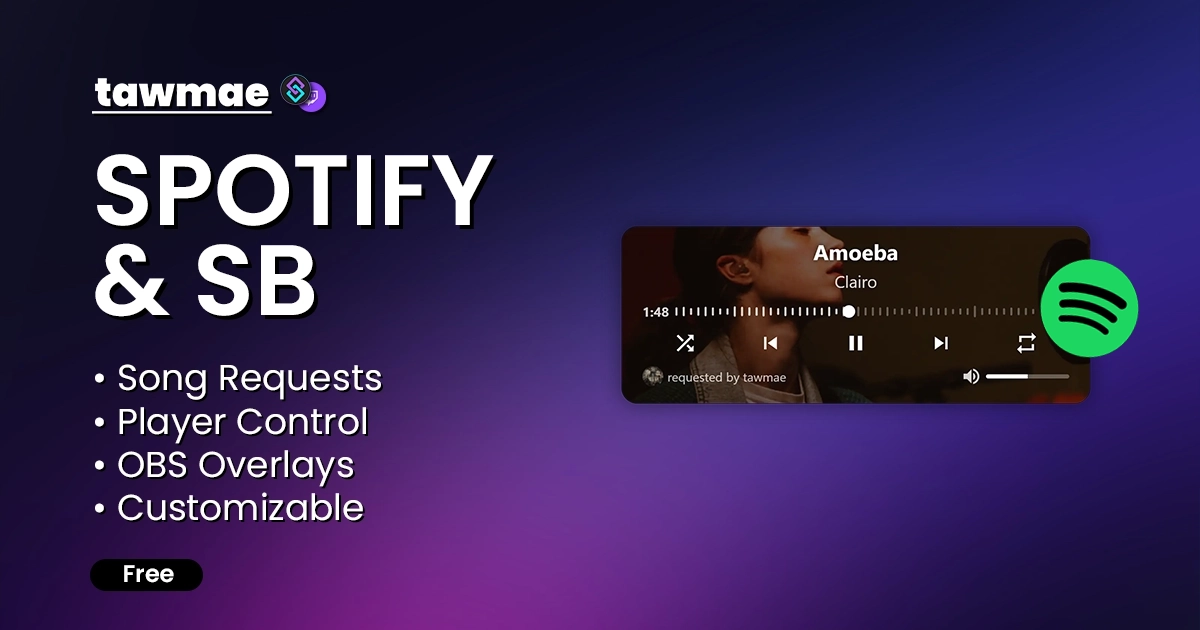
A full Spotify integration for your stream, powered by Streamer.bot. Request songs, bump requests up the queue and control your player with an OBS dock, tracks song stats and fully customize your overlay.

  • Songrequests
  • Fair Queueing System
  • Fully customizable overlay
  • OBS dock to control your player and manage the queue
SPOTIFY & SB Preview 2

Quick Access

Copy what you need to get started. Follow the setup guide below for detailed instructions.

Action Import String

Import the actions into Streamer.bot.
Loading…

Overlay

A 'Now Playing' overlay to use in your streaming software and a control interface you can either dock in OBS/Meld or simply use in a browser.
https://tawmae.xyz/overlays/spotify-and-sb

Control Dock

A docked interface for controlling your Spotify player and managing the queue.
https://tawmae.xyz/overlays/spotify-and-sb-dock

Setup Guide

1

Copy the Action Import String

Copy the Action Import text from Quick Access.

2

Import the actions into Streamer.bot

In Streamer.bot click Import in the top menu. Paste the text into the Import String field. Click Import at the bottom.

3

Enable the commands

Open the Commands tab. Find the imported group. Right-click the group and click Enable All.

4

Open the Settings UI

Open the action [SPOTIFY & SB] [#] 0 - Settings. Right-click the Test trigger and hit Test Trigger.

NoteIf the TawmaeUI.dll is missing, you'll be asked to auto-download. That popup window may appear behind the Streamer.bot window, so make sure to check if nothing appears.
5

Open Spotify Developer Dashboard

Now open your Spotify developer portal, login with your account and open your dashboard: Spotify Developer Portal

6

Create Spotify App

Click on Create app

For App name and App description, type in anything you want.

Redirect URIs has to be exactly this: http://127.0.0.1:1312/tawmaeSpotify/

Accept the ToS and hit Save

WarningIt is crucial you exactly match the Redirect URI. Otherwise it will not work.
7

Copy Client ID and Client Secret

Now that you are in your app, copy both the Client ID and your Client secret into the Settings UI of Streamer.bot.

NoteThe Client secret is hidden by default. You can uncollapse it by clicking 'Show client secret' right below it.
8

Connect

In Streamer.bot, paste them both in the Connection tab in the corresponding textboxes. Afterwards click on Connect.

A new browser page will open. Scroll down, click Agree and then you just see a page that says you are successfully connected.

9

Done!

And that's it! All good to go. You can now test all your commands.

Commands

Song Requests & Info

!sr [Song] Access Everyone

Adds a song to the queue. Can be the song name, a direct Spotify link, or a YouTube/SoundCloud link. For YouTube links, the video title will be used as the query. Spotify links are the most accurate.

Example!sr clairo bags
!song Access Everyone

Posts the currently playing song into chat.

Example!song
!songLink Access Everyone

Posts the currently playing song with its Spotify link into chat.

Example!songLink
!last Access Everyone

Posts the previously playing song into chat.

Example!last
!playlist Access Everyone

Posts the currently playing playlist into chat.

Example!playlist
!bumpRequest Access Mods Only

Bumps the earliest of your requested songs to the top. Also allows for input like '!bumpSong Espresso' or !bumpSong tawmae' to target a specific song in the request queue or a specific user.

Example!bumpRequest
!songSwap Access Everyone

Swaps the positions of two of your own requested songs. Allows for input if you have more than 2 songs requested, e.g. '!songSwap 1 3' to swap your first and third request.

Example!songSwap 1 3

Playback Control

!skip Access Everyone

Skips the currently playing song. Non-mods can only skip their own requested songs.

Example!skip
!back Access Mods Only

Replays the previously played song.

Example!back
!restartSong Access Mods Only

Restarts the current song.

Example!restartSong
!play Access Mods Only

Resumes the currently paused song.

Example!play
!pause Access Mods Only

Pauses the currently playing song.

Example!pause
!vol [Number] Access Mods Only

Sets the volume of the player. Can be an absolute value (e.g. 50) or a relative change like +10 / -10. Without a number, posts the current volume to chat.

Example!vol 50

Queue Management

!queue [Number] Access Everyone

Posts the upcoming songs into chat. Defaults to 3 without a number, maximum is 10.

Example!queue 5
!queuePosition Access Everyone

Posts your current requests in queue into chat with their respective positions and remaining time until your first request will play.

Example!queuePosition
!requests Access Everyone

Posts the total amount of all requests and their combined runtime into chat.

Example!requests
!voteskip Access Everyone

Vote to skip the currently playing song.

Example!voteskip
!remove [Songname] Access Everyone

Removes the requested song from the queue. If the song is already playing when removal applies, it will automatically be skipped. The name does not have to be exact. On successful removal, user variables are populated and used channel points are auto-refunded.

Example!remove never gonna give you up
!wrongSong Access Everyone

Removes your latest own song request.

Example!wrongSong

Playlists & Devices

!playlists Access Mods Only

Posts the owned playlists into chat.

Example!playlists
!addSong [Playlist] Access Mods Only

Adds the currently playing song to a specified playlist. Can be the playlist's name or its index number. If nothing is specified, the song is added to the selected default playlist.

Example!addSong 2
!addSongToPlaylistFromInput [Song] | [Playlist] Access Mods Only

Adds the specified song to a specified playlist. Song and Playlist must be separated by a pipe symbol. The song can be artist/song name or a link. The playlist can be an index number from !playlists or a playlist name. If no playlist name is provided, it will use the fallback playlist set in the Settings UI.

Example!addSongToPlaylistFromInput Sabrina Carpenter Espresso | Summer Vibes Playlist
!playPlaylist [Playlist] Access Mods Only

Plays the specified playlist. Can be the playlist's name or its index number.

Example!playPlaylist Lofi Beats
!devices Access Mods Only

Posts the list of available devices into chat.

Example!devices
!setDevice [Index] Access Mods Only

Changes the active device based on its index.

Example!setDevice 1
!addLike Access Mods Only

Adds the current song to your liked songs in Spotify.

Example!addLike

Banning & Filters

!banSong Access Mods Only

Bans the current song from song requests.

Example!banSong
!unbanSong [Index Number] Access Mods Only

Unbans the specified song from song requests. Requires the index number from the !bannedSongs command.

Example!unbanSong 3
!bannedSongs Access Mods Only

Posts the banned songs with their index numbers into chat.

Example!bannedSongs

Stats & Top Lists

!topSongs Access Everyone

Posts the top 5 requested songs into chat.

Example!topSongs
!topArtists Access Everyone

Posts the top 5 requested artists into chat.

Example!topArtists
!myTopSongs Access Everyone

Posts the top 5 requested songs of the redeeming user into chat.

Example!myTopSongs
!myTopArtists Access Everyone

Posts the top 5 requested artists of the redeeming user into chat.

Example!myTopArtists
!broadcasterTopSongs [Time Range] Access Everyone

Posts the top 5 songs of the current Spotify user into chat (based on Spotify listening data). Time Range can be short (4 weeks), medium (6 months), or long (1 year). Defaults to long if empty or invalid.

Example!broadcasterTopSongs short
!broadcasterTopArtists [Time Range] Access Everyone

Posts the top 5 artists of the current Spotify user into chat (based on Spotify listening data). Time Range can be short (4 weeks), medium (6 months), or long (1 year). Defaults to long if empty or invalid.

Example!broadcasterTopArtists medium

User Likes

!like Access Everyone

Adds the current song to your liked list. This is just internal Streamer.bot tracking and has no effect on Spotify itself.

Example!like
!unlike <Songname> Access Everyone

Unlikes the specified song. The name does not have to be exact.

Example!unlike Last Christmas
!likes Access Everyone

Posts a list of all users that like the currently playing song.

Example!likes

Settings UI

Connection

Configure the Spotify connection, default device and playlist, and manage your authorization tokens.

  • Connection Status The connection status indicator shows whether the extension is connected to Spotify. Green = good, red = not too good.
  • Client ID & Client Secret Enter your Spotify application Client ID and Client Secret, click Save, then use the Connect button above to authorize.
  • Default Device Pick your default playback device. All playback and song requests will be directed to this device.
  • Default Playlist Select your default playlist. When no playlist is specified in a command, this playlist is used as the target.
  • Reset Connection Deletes your Client ID, Client Secret and tokens so you can set up a fresh connection with another Spotify account or application.

General Settings

Control global behavior like maximum song length, queue limits, follower-only requests and how messages are sent to chat.

  • Max. Song Duration Maximum allowed duration for requested songs (in seconds). Requests longer than this value will be rejected.
  • Required Votes To Skip Required number of votes to skip the currently playing song via the voteskip command.
  • Max. Requests Per User Maximum number of simultaneous requests a single user can have in the queue.
  • Send Messages As Replies Toggle whether the extension sends direct replies to users or regular chat messages instead.
  • Allow Duplicate Songrequests If enabled, the same song can appear multiple times in the request queue. Disable to prevent duplicates.
  • Allow Explicit Songs Toggle whether users are allowed to request explicit tracks. Disable to block explicit songs.
  • Allow Skipping Own Songs Toggle whether people can skip their own requested songs with the !skip command while the song is currently playing.
  • Allow Removing Own Songs Toggle whether people can remove their own requested songs from the queue with the !remove command while the song is still queued.
  • Followers Only Songrequests Combine followers-only song requests with a minimum follow-age in days. Set how many days someone must follow before they are allowed to request songs.

Chat Responses

Edit all chat responses used by the Spotify & Streamer.bot integration. Use a single hyphen to disable a specific message. Variables are listed below each textbox; you can reset any field back to default via the icon on the right.

Stats Leaderboard

Configure the leaderboard for top song requests and the top tracks and artists for the current Spotify user based on Spotify's listening data.

  • Top Requests – One Message Per Rank If enabled, each rank is posted as an individual message. If disabled, all ranks are combined into a single message using the configured separator.
  • Top Requests – Post As Announcement Toggle whether the top-requests leaderboard is sent as an announcement or as a regular chat message.
  • Top Requests – Announcement Color Choose the color for announcement messages. Available options: Random, Blue, Green, Orange, Purple.

OBS Overlay

Configuration for the browser-source overlays that display the current song directly on your OBS canvas.

  • OBS Overlay Browser Source You can add the provided overlay URLs as browser sources to your OBS scenes and display the current song on your canvas. Hit one of the button to add it to your current OBS

Custom Triggers

New Song

Fires when a new song starts (also fires if the same song gets played over/reset)

%trackId% Type: string

The ID of the track.

%trackName% Type: string

The name of the song.

%artists% Type: string

The artist(s) of the song.

%coverImageURL% Type: string

The image URL of the cover art.

%albumName% Type: string

The name of the album (null if not an album).

%isPlaying% Type: bool

Indicator whether the new song is playing when it comes up.

%progressMs% Type: int

The new song's progress in milliseconds.

%durationMs% Type: int

The new song's total duration in milliseconds.

%progressTimeFormatted% Type: string

The new song's progress time in a mm:ss format.

%durationTimeFormatted% Type: string

The new song's total duration in a mm:ss format.

%releaseDate% Type: datetime

The release date of the track.

%releaseYear% Type: int

The release year of the track.

%isExplicit% Type: bool

Indicator whether the song is explicit or not.

%isRequested% Type: bool

Indicator whether the new song has been requested or not.

%user% Type: string

The display name of the requester (null/empty if not requested).

%userName% Type: string

The user login of the requester (null/empty if not requested).

%userId% Type: string

The user ID of the requester (null/empty if not requested).

%userProfileImageUrl% Type: string

The profile picture URL of the requester (null/empty if not requested).

%isChannelReward% Type: bool

Indicator whether the request has been redeemed via channel point reward.

%rewardId% Type: string

The reward ID of the request (null/empty not a channel point reward request).

%redemptionId% Type: string

The redemption ID of the request (null/empty not a channel point reward request).

%totalUserLikes% Type: int

The total number of users that have liked the current song.

%userLikeAllUsers% Type: string

A comma separated list of all users that have liked the current song. Null if no likes.

%userLikeThreeUsers% Type: string

A comma separated list of three random users that have liked the current song. Null if no likes.

Song Continued

Fires when a song gets resumed.

%trackId% Type: string

The ID of the track.

%trackName% Type: string

The name of the song.

%artists% Type: string

The artist(s) of the song.

%coverImageURL% Type: string

The image URL of the cover art.

%albumName% Type: string

The name of the album (null if not an album).

%isPlaying% Type: bool

Indicator whether the song is playing when it gets resumed.

%progressMs% Type: int

The song's progress in milliseconds.

%durationMs% Type: int

The song's total duration in milliseconds.

%progressTimeFormatted% Type: string

The song's progress time in a mm:ss format.

%durationTimeFormatted% Type: string

The song's total duration in a mm:ss format.

%releaseDate% Type: datetime

The release date of the track.

%releaseYear% Type: int

The release year of the track.

%isExplicit% Type: bool

Indicator whether the song is explicit or not.

Song Paused

Fires when a song gets paused.

%trackId% Type: string

The ID of the track.

%trackName% Type: string

The name of the song.

%artists% Type: string

The artist(s) of the song.

%coverImageURL% Type: string

The image URL of the cover art.

%albumName% Type: string

The name of the album (null if not an album).

%isPlaying% Type: bool

Indicator whether the song is playing (typically false when paused).

%progressMs% Type: int

The song's progress in milliseconds.

%durationMs% Type: int

The song's total duration in milliseconds.

%progressTimeFormatted% Type: string

The song's progress time in a mm:ss format.

%durationTimeFormatted% Type: string

The song's total duration in a mm:ss format.

%releaseDate% Type: datetime

The release date of the track.

%releaseYear% Type: int

The release year of the track.

%isExplicit% Type: bool

Indicator whether the song is explicit or not.

Request Queue Opened

Fires when the request queue is opened (e.g. to automatically enable channel point rewards).

Request Queue Closed

Fires when the request queue is closed (e.g. to automatically disable channel point rewards).

FAQ & Examples

When I skip song in my Spotify player, it won't queue requests, help???
Without going into detail, Spotify doesn't allow to re-order requested songs. That's why requests are added before a track ends. If you use the player to skip around, Streamer.bot never gets the 'Song is ending soon' signal, and therefore never adds the request. Just use the dock to skip songs, or, idk..just don't skip around?!
What is the fair queueing system?
Improved song request fairness: if one user queues multiple songs, requests from other users will now be placed in between. This prevents a single person from filling the queue with several songs in a row and gives everyone a fair chance to get their request played sooner.
How can I make new songs post to chat when they start playing?
The 'Chat Responses' tab of the Settings UI has a toggle switch 'Auto-Post New Songs'. Enable it to post new songs to chat. And if you want your very custom version of announcing new songs, you can also use the 'New Song' trigger to run a custom action whenever a new song starts playing.
Can I make it work without Spotify Premium?
No. Spotify allowed some endpoints to be used without premium, but starting February 11, 2026, all apps require premium for all endpoints.
Can I disable certain chat responses?
Yes. In the Settings UI inside the Chat Responses tab, enter a single hyphen - to disable that message.

Since version 1.3.7 you can also suppress a single reply by setting the noMessage argument to True before running an action. This lets you mute one reply without disabling the entire response globally.
Can I make the overlay hide when no song is playing? Or only show briefly when a new song starts?
Yes. Open the settings panel of the overlay and select Playing or On Change in the General section.
I have a Family Account and all my requests are failing. Help?
With Family Accounts, the account used to create the Spotify app and the account authorized in the extension must match.

Otherwise, you must whitelist the other account in your Spotify Dashboard → App → User Management.

The email must match exactly — case-sensitive.
I got rate limited, what can I do?
Not a lot except for waiting I'm afraid. Since ever the big data scrape at the beginning of 2026, Spotify got pretty experimental and restrictive with quota. So rate limits may occur fairly randomly at times and are not per-account instead of per app. So creating a new app in your developer dashboard won't work either.

Changelog

v2.0.2 latest

  • New Added two new request limit settings: 1) Max. Requests Per User Per Stream, 2) Max. Request Time (the cumulated duration of all your requested songs in the queue)
  • Fix Removing requests via the dock (and clearing the entire queue) now refunds all channel points if they've been redeemed via Channel Point Reward
  • New Added two new triggers: 1) Request Queue Opened, 2) Request Queue Closed

v2.0.1

  • Fix Fixed potential issue with repeated songs
  • Changed Added some easter eggs ( ͡° ͜ʖ ͡°)

v2.0.0

  • New Requests can now be re-arranged in the queue
  • New New control interface that allows to control the player or manage the request queue; can be easily docked into OBS
  • New Added 'Fair Queueing System': Improved song request fairness: if one user queues multiple songs, requests from other users will now be placed in between. This prevents a single person from filling the queue with several songs in a row and gives everyone a fair chance to get their request played sooner.
  • New Song Swap: Viewers can now swap positions of two of their requested songs
  • New Song Bump: Viewers can bump their own request to the top (can be monetized STONKS)
  • New New overlay: A totally new, fully customizable overlay; also supports Spotify Canvas; supports upcoming requests
  • New Added option to close & open songrequests via the new control interface dock

v1.5.3

  • Changed Spotify currently has API issues and you will occasionally encounter random errors (like 'Unauthorized' or 'Premium required'). Just try again in that case and pray they'll fix it soon.

v1.5.2

  • Changed New refresh token handling due to Spotify API changes (this update is mandatory, otherwise it will break for you sooner or later)
  • Fix Added the previously missing Style 5 in the Settings UI

v1.5.1

  • New Added playlist caching. That will hopefully get rid of all rate limitation scenarios once and for all

v1.5.0

  • Fix Fixed an issue with incorrect setups causing auth loops
  • Fix Fixed an issue with track repeats triggering multiple times

v1.4.7

  • New Added a workaround to fetch playlists. Spotify introduced a new bug for one of their endpoints that caused failing fetching playlists if you had over 50 in your library.

v1.4.6

  • Changed Updated Spotify API endpoints
  • Fix Fixed an issue with banned songs when requesting non-standard US links
  • Removed Removed popularity from 'New Songs' trigger variables
  • New Added new commands and actions to save likes of chatters
  • New Added new response variants for song requests to display which users like the song
  • New Added user like variables to the 'New Song' trigger
  • New Added a toggle switch to the 'Chat Responses' tab to automatically post new songs to chat, with variants to support requests and user likes
  • New Added action to fetch current song & player info
  • New Added %srSuccess% and other variables after requesting a song

User Reviews

4.9 (10 reviews)

Really solid and feature-rich Spotify integration for Streamer.bot. The setup is clear, song requests and chat responses are highly customizable, and there are lots of thoughtful controls. For my setup, I added three small custom Streamer.bot additions: - an action that shows my own OBS now-playing overlay when a new song starts; - a separate action that hides it again after 9 seconds; - a lightweight restart detector, so restarting the current track directly in Spotify also shows the overlay again. Those additions work well, but having these options built in would make the extension even smoother. The included overlays did not quite fit my stream style, so I made my own. More compact overlay designs would be lovely; an overlay customizer for layout, fonts, colors and auto-hide duration would be amazing. Overall, a very capable and well-made extension with a lot of potential for personalized stream setups.

This extension has enhanced the QOL for me as the broadcaster and for the chat as a whole! Very intuitive setup process with static visual guide. No need to pause rewind and play. Kept it simple and hassle free. This widget is almost as beautiful as its creator! With the powers of Tawmae and Streamer.Bot combined this utility will carry you to peace of mind.

Easy to import, Easy to set up, and makes life so much easier. Tawmae does an amazing job explaining how to use his extensions, and if you ever need help he is very responsive on his discord with assistance. 10/10

This is quite possibly one of the greatest things ever made for Streamer.Bot. Thank you, tawmae!

This Spotify widget is absolutely fantastic! I've already recommended it to my friends. It's a shame it doesn't have a switcher for Spotify and YouTube Music. Ideally, it works with the app from this third-party provider: https://github.com/pear-devs/pear-desktop/releases

Used something else for the longest time, but that kept on breaking. This, not a single break yet! Well worth the set up!

Did my own one which was absolute garbage, found this one and have never been happier. Would give more stars if possible <3

One of the best Spotify extensions existing. Never be in the need of a stable online bot!

Before you post your review

Please make sure this is not a support issue. If you have trouble getting it to work, join my Discord, open a support post and attach your logs.

Join the Discord for support ↗