Been wanting a Better timer, so thanks!
Import into Streamer.bot
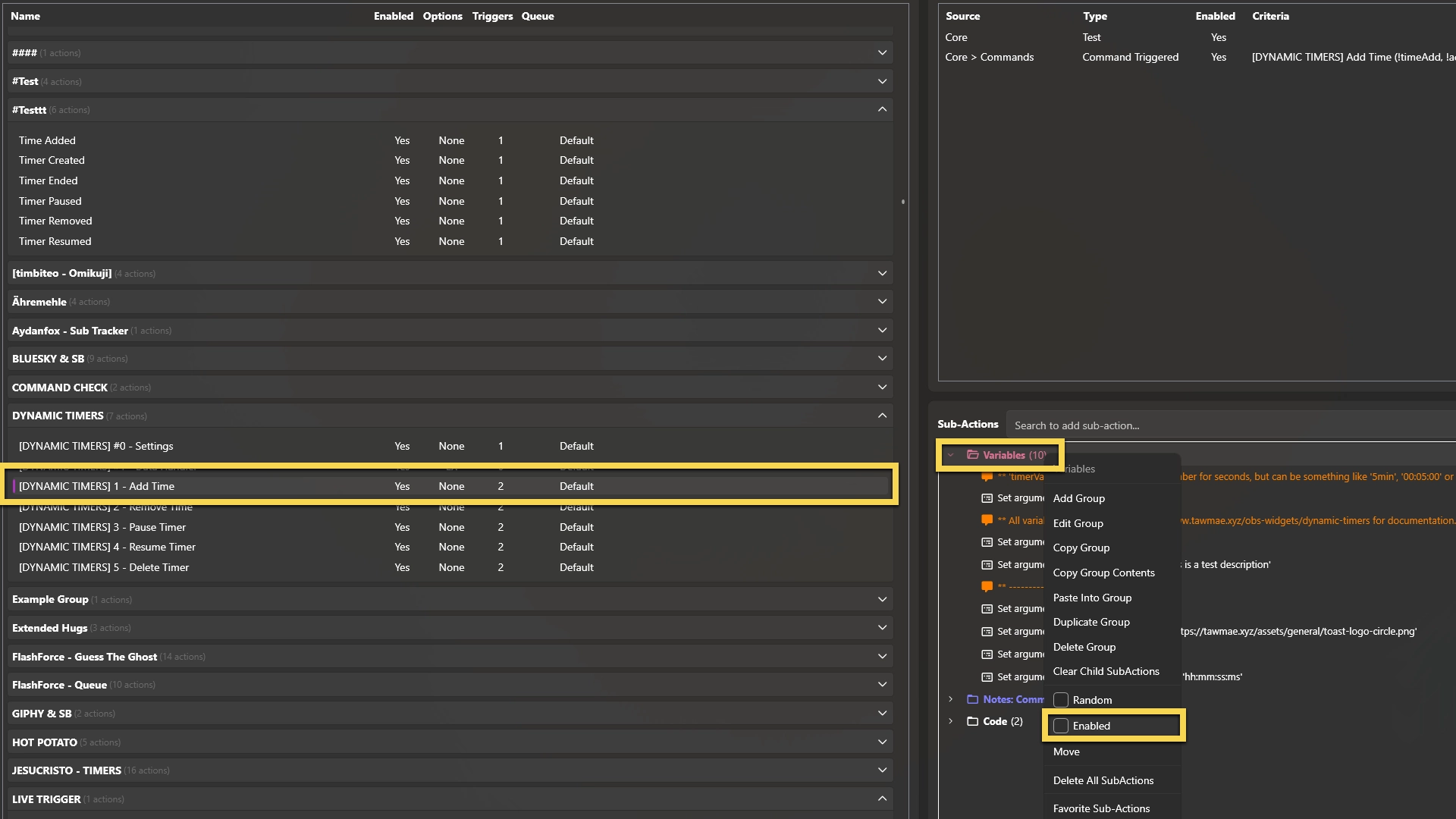
Enable the Commands
Open the Settings UI once and hit Save
Start WebSocket Server
Add Browser Source in OBS
In
Done!
And you are done! You can now test trigger the
A refined take on classic OBS timer widgets — fully controllable, supporting multiple timers, with custom triggers for actions when timers start or end.
Copy what you need to get started. Follow the setup guide below for detailed instructions.
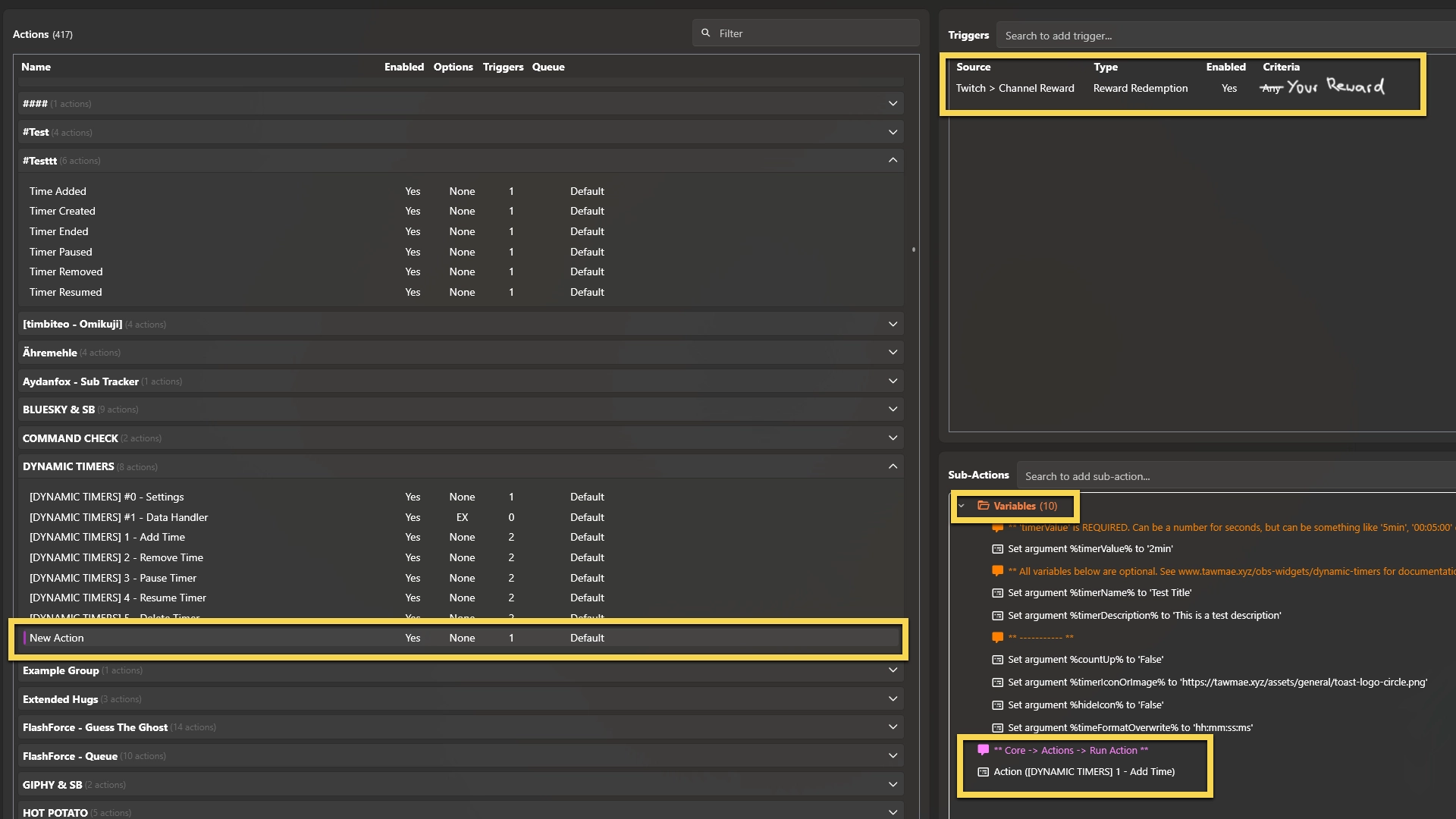
In
And you are done! You can now test trigger the
Create the timer. The time is required, the rest is optional. Time value can be a number for seconds, or something like '5min', '60s', '1h' or '05:00'. Options separated by pipe symbols.
!createTimer 5min | AFK | Be right back Pause the timer specified by title.
!pauseTimer AFK Resumes the timer specified by title.
!resumeTimer AFK Add time to the specified timer. The Time value supports the same formats as !createTimer. Time and title separated by a pipe symbol.
!addTime 2min | AFK Remove time from the specified timer. The Time value supports the same formats as !createTimer. Time and title separated by a pipe symbol.
!removeTime 2min | AFK Delete the timer specified by title.
!deleteTimer AFK Customize the appearance to your liking.
Fires when a new timer is created.
The title of the timer.
AFK The description of the timer.
I will be right back! The initial time value in seconds.
120 The current time value in seconds.
60 The total time value in seconds.
180 Flag whether the timer is a stopwatch or not.
false Time value if time has been added. 0 for everything except for 'Time Added' events.
30 Fires when time is added to an existing timer.
The title of the timer.
AFK The description of the timer.
I will be right back! The initial time value in seconds.
120 The current time value in seconds.
60 The total time value in seconds.
180 Flag whether the timer is a stopwatch or not.
false Time value if time has been added. 0 for everything except for 'Time Added' events.
30 Fires when a timer is paused.
The title of the timer.
AFK The description of the timer.
I will be right back! The initial time value in seconds.
120 The current time value in seconds.
60 The total time value in seconds.
180 Flag whether the timer is a stopwatch or not.
false Time value if time has been added. 0 for everything except for 'Time Added' events.
30 Fires when a timer is resumed.
The title of the timer.
AFK The description of the timer.
I will be right back! The initial time value in seconds.
120 The current time value in seconds.
60 The total time value in seconds.
180 Flag whether the timer is a stopwatch or not.
false Time value if time has been added. 0 for everything except for 'Time Added' events.
30 Fires when a timer ends.
The title of the timer.
AFK The description of the timer.
I will be right back! The initial time value in seconds.
120 The current time value in seconds.
60 The total time value in seconds.
180 Flag whether the timer is a stopwatch or not.
false Time value if time has been added. 0 for everything except for 'Time Added' events.
30 Fires when a timer is removed.
The title of the timer.
AFK The description of the timer.
I will be right back! The initial time value in seconds.
120 The current time value in seconds.
60 The total time value in seconds.
180 Flag whether the timer is a stopwatch or not.
false Time value if time has been added. 0 for everything except for 'Time Added' events.
30 timerValue: This one is mandatory and is the time added/initial creation time. It can be a number like 60 or straight up a format like 15min, 1h or 05:00timerName: This is the title of your timer. It's optional, so it can be left disabled/deleted, but will then default to a generic name like timerDescription: This is the description of your timer. It's optional, so it can be disabled/deleted and will then have no description at all.countUp: This is a bool that can either be set to True or False and will determine whether the created timer goes up or down. If it goes up, it always starts at 00:00:00. It's optional, so it can be disabled/deleted.timerIconOrImage: By default, all timers use the default icon you've set in the Settings UI. You can however overwrite icons for individual timers by entering the icon or image URL straight in there. It's optional and can be disabled/deleted.hideIcon: This is a bool that can either be set to True or False and will hide the icon entirely for this specific timer. It's optional and can be disabled/deleted.timeFormatOverwrite: By default, timers use the time format specified in the Settings UI. You can however overwrite it for specific timers by entering the new format like mm:ss:ms. It's optional and can be disabled/deleted.!createTimer to create a timer, we use all the arguments that are within the