API REQUIRED This extension requires an API key. For Bluesky it's your app password that you need to generate. No extra sign ups or costs necessary :) DLL REQUIRED This extension requires TawmaeUI.dll in your Streamer.bot directory. On first setup, it can auto-download or you can grab it from tawmae.xyz/dll.

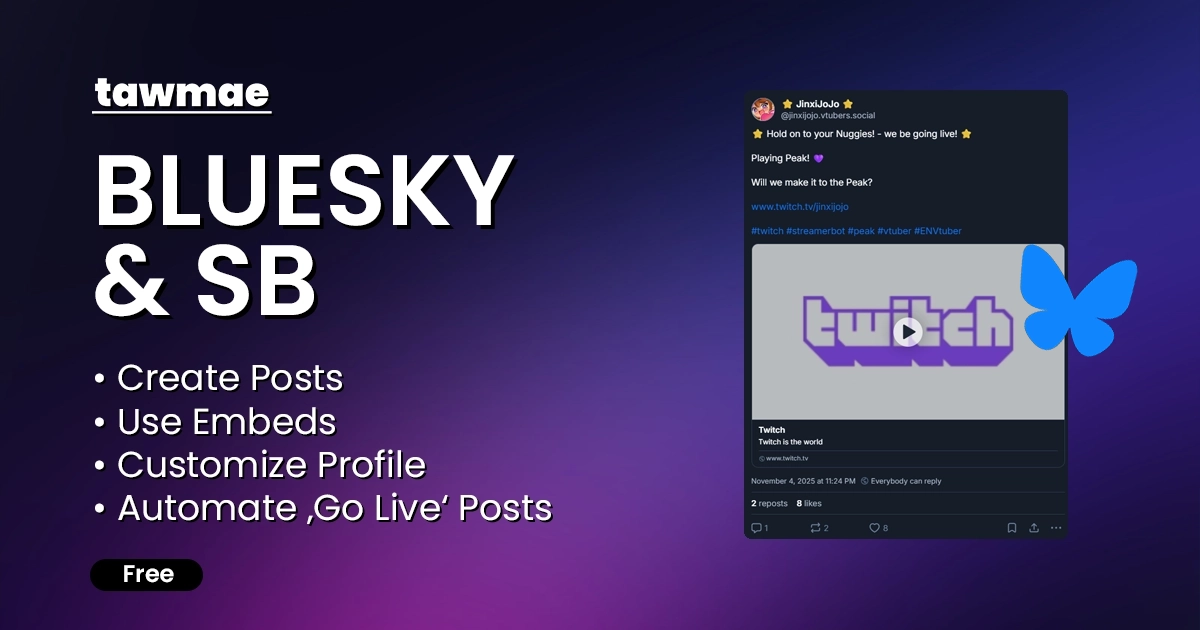
A Bluesky integration for Streamer.bot. Create posts, update your profile, announce that you went live on Twitch and more.

  • Create Bluesky posts directly from Streamer.bot actions
  • Update profile picture, banner, bio and even username to your liking
  • Automate your livestreams: post a live announcement, update your 'LIVE' badge, change your username and profile picture to indiciate you are live... and revert back once you go offline.
Bluesky & Streamer.bot integration previewBluesky & SB Streamer.bot utility preview

Quick Access

Copy what you need to get started. Follow the setup guide below for detailed instructions.

Action Import String

Import the actions into Streamer.bot.
Loading…

Setup Guide

1

Copy the Action Import String

Copy the Action Import text from Quick Access.

2

Import the actions into Streamer.bot

In Streamer.bot click Import in the top menu. Paste the text into the Import String field. Click Import at the bottom.

3

Create a Bluesky app password

In Bluesky, go to Settings → Privacy and security → App passwords and create a new app password. You can also open https://bsky.app/settings/app-passwords directly.

Give the app password any name you like, click Next, then copy the generated password to your clipboard and click Done.

4

Open the Credentials Settings UI

Open the action [BLUESKY & SB] 0 - Credentials. Right-click the Test trigger and hit Test Trigger to open the Settings UI.

If the TawmaeUI.dll is missing, you'll be asked to auto-download. That popup window may appear behind the Streamer.bot window, so make sure to check if nothing appears.
5

Enter your Bluesky credentials

Set bskyLogin to your full handle, e.g. pokimane.bsky.social, and bskyPassword to the app password you just created. Save your settings and you are ready to use the other actions.

6

Done!

And you are done!

Settings UI

Credentials

Store and manage your Bluesky login details and session.

  • bskyLogin
    Your full Bluesky handle, including the domain (for example: pokimane.bsky.social).
  • bskyPassword
    The app password you generated in your Bluesky settings, not your main account password.
  • Reset Session
    Clear the current login session so you can connect a different Bluesky account.

Embed Info

Just additional docs about formatting posts. Can be seen below here as well.

Post Formats

Linebreaks

Line breaks are created with two pipe symbols: ||.
Example
Hello,||my name is tawmae.

Result:
Hello,
my name is tawmae.

Images

Embed an image from a URL using <imageURL>...</imageURL>.
Embed an image from a filepath using <imagePath>...</imagePath>.

Optional alt-text can be added by placing a single pipe | after the URL or file path.

Bluesky API does not support GIFs yet.
Example
<imageURL>www.tawmae.xyz/images/CuteCat.png</imageURL>

<imagePath>C:/User/tawmae/Pictures/CuteCat.png|My cat on the desk</imagePath>

Videos

Embed videos using <videoPath>...</videoPath>.

Supported: .mp4, .mpeg, .webm, .mov.
Alt-texts not supported.
Example
<videoPath>C:/User/tawmae/Videos/CuteCat.mp4</videoPath>

URLs

Make URLs clickable using <URL>...</URL>.

Preview cards available when bskyURLPreview = True.
Example
<URL>https://tawmae.xyz</URL>

FAQ & Examples

How do I create an automatic post when I go live on Twitch?
Use the [BLUESKY & SB] 1 - Create Post action and add a trigger.

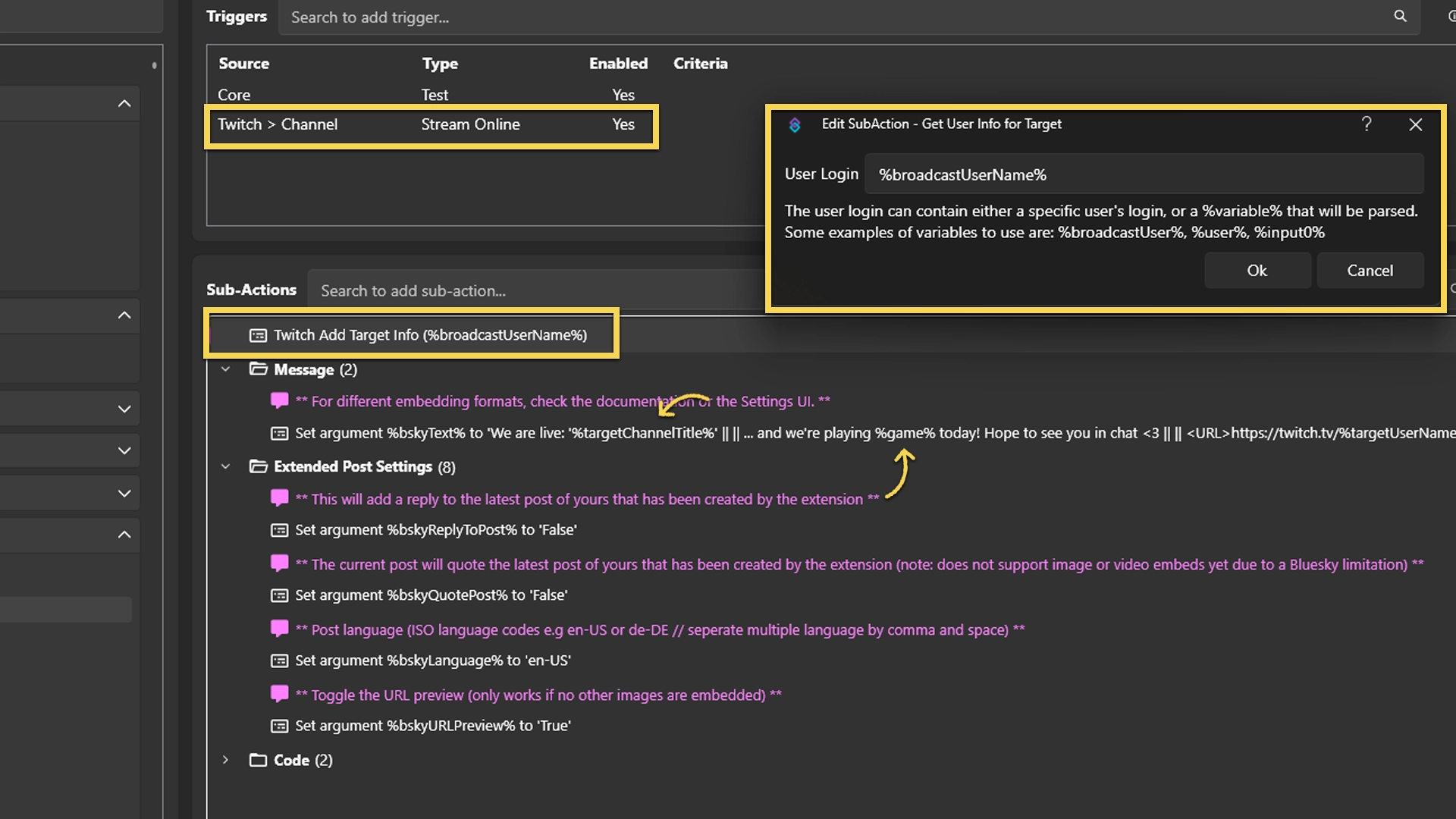
1. Add a trigger Twitch → Channel → Stream Online so the action fires when your stream goes live. The trigger provides the variable %game% with your current category.
2. To also include your title, add a Twitch → User → Get User Info For Target subaction at the top of the action and type %broadcastUserName% into the textbox so the data is fetched. This gives you %targetChannelTitle%.
3. In bskyText, you can now use %game% and %targetChannelTitle% to build a live announcement.

Example text for bskyText:

We are live: '%targetChannelTitle%' || || ... and we're playing %game% today! Hope to see you in chat <3 || || <URL>https://twitch.tv/%targetUserName%</URL> || || #Twitch || #Stream
Can I update my live badge when I go online/offline?
Yeppers! v.1.1.9 added a new action: [BLUESKY & SB] 9 - Update Live Badge. You can enable the action by rightclicking it and check Enabled.

It already has the correct triggers in place and is linked to the Twitch account that is connected to Streamer.bot. So whenever you go live, it'll enable the badge with your Twitch profile and disable it when you go offline. You can always rightclick the triggers and hit Test Trigger to try it out while you are offline. Note: the maximum duration for a live badge 'session' is 4 hours. After that time, there's a periodic check whether your stream is still live, and if so, it will re-enable the badge for another 4 hours.

Changelog

v1.2.0 latest

  • New: Added a timed action to check if the live badge and channel live status are still the same. Live badges are hard limited to a maximum of 4 hours, so after that we need to verify if the channel is still online, and if so, re-enable it.

v1.1.9

  • New: Added a new action to update your 'LIVE' badge on your profile. See FAQ for more info.

v1.1.8

  • Fix: Fixed Twitch URL preview card generation once at for all!

v1.1.7

  • Fix: Improved video embed formats.
  • New: Added alt texts for videos (does not work practically, but at least the API foundation is set, until Bluesky supports it).
  • Changed: Improved correct URL preview generation.

v1.1.6

  • Changed: Updated to latest dll.

v1.1.5

  • Fix: Handled invisible characters in copied handles from Bluesky, revisited code structure, and improved debugging.

v1.1.4

  • New: Reset button to delete the current login session so a new account can be connected.

v1.1.3

  • Changed: Overhaul for Streamer.bot 1.0.0 with new Settings UI for credentials, updated login flow to avoid rate limitations, updated embed formats to avoid conflicts with parsed variables, improved debugging, and better handling for enabled URL preview without a website card.

v1.0.0

  • New: Initial release.

User Reviews

5.0 (3 reviews)

Reviews

Easy to import, Easy to set up, and makes life so much easier not having to post live updates on every platform. Tawmae does an amazing job explaining how to use his extensions, and if you ever need help he is very responsive on his discord with assistance. 10/10

I hate having to remember to post on Bluesky when I'm live, so this makes the process SOOO MUCH EASIER!